Hi, I’m Chisom Nwanonenyi. In my video I walk through Synthflow AI, an AI voice agent platform that handles real phone calls: answering inbound, qualifying leads, booking appointments, routing calls, and integrating with tools like GoHighLevel. Below I recap the full guide and show how I set up templates, knowledge bases, actions, integrations, and pricing, plus practical tips from my hands‑on testing.
Table of Contents
- Quick overview: What Synthflow does
- Agent setup: Templates and knowledge base
- Actions: Real‑time booking, call transfers & phone numbers
- Extras: Hold music, availability and input extraction
- Voice selection, prompts and agent personality
- Building workflows and integrating with GoHighLevel
- Testing, limits and practical constraints
- Pricing breakdown (what I tested)
- Final thoughts and recommendations
- Where to go next
Quick overview: What Synthflow does
Synthflow builds AI voice agents that act like real humans on the phone. It’s a no‑code solution aimed at businesses that want to stop missing calls, qualify leads automatically, and either book appointments or transfer the call to a human when needed. It supports SMS follow‑ups, calendar links, and integrations with platforms such as GoHighLevel, Google Sheets, and more.
Core capabilities
- Inbound and outbound phone calls handled by AI voices
- Customizable templates for niches (real estate, retail, etc.)
- Knowledge base feeding agent context and brand voice
- Real‑time booking, call transfer with contextual summaries
- Integrations (API, Zapier, GoHighLevel, Google Sheets)
- Per‑minute pricing tiers with concurrent call limits
Agent setup: Templates and knowledge base
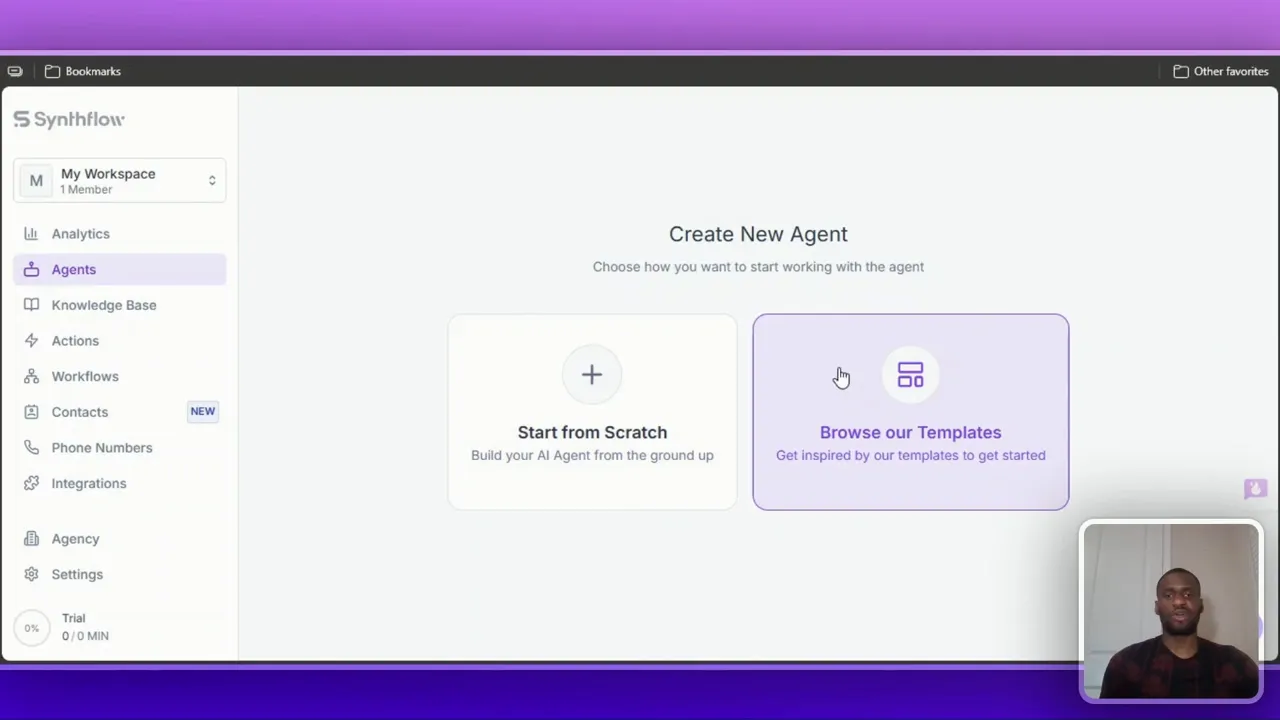
My first tip: start with a template. Synthflow gives you prebuilt agents for different niches. I chose a real estate outbound sales appointment template to demo. Templates dramatically reduce setup time because they bundle flows, prompts, and actions.
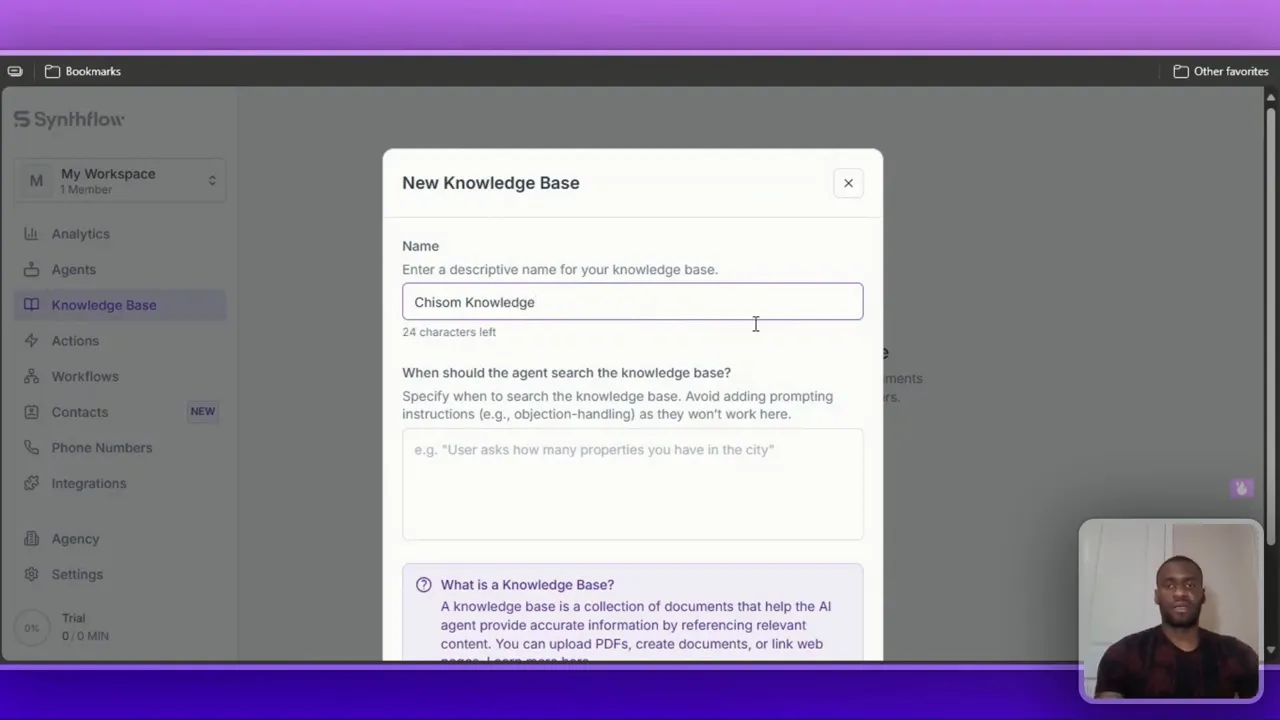
After installing a template, populate the knowledge base. This is where you feed the agent company details, product or service specifics, and anything the AI should “know” when talking to prospects. You can paste a URL, upload files, or write directly in the editor. The more accurate and branded this content is, the better the conversational quality.
Actions: Real‑time booking, call transfers & phone numbers
Actions are the building blocks of an agent’s behavior during a call. Common actions include booking appointments in real time, transferring to a human, sending SMS, or triggering a custom action (like placing a pizza order during the call).
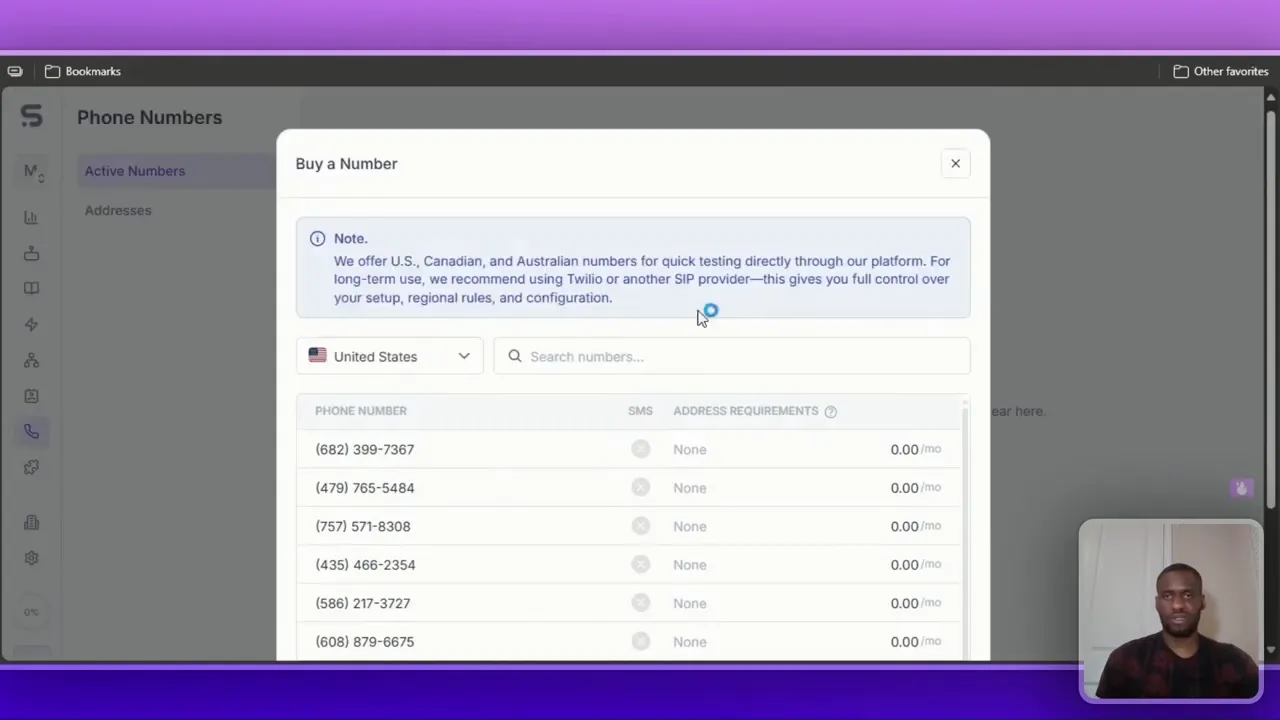
Phone number handling is straightforward; you can import your own number or buy one from Synthflow for testing. In my demo I purchased a US number for about $1.50 to run calls without setting up carrier services.
Call transfer best practices
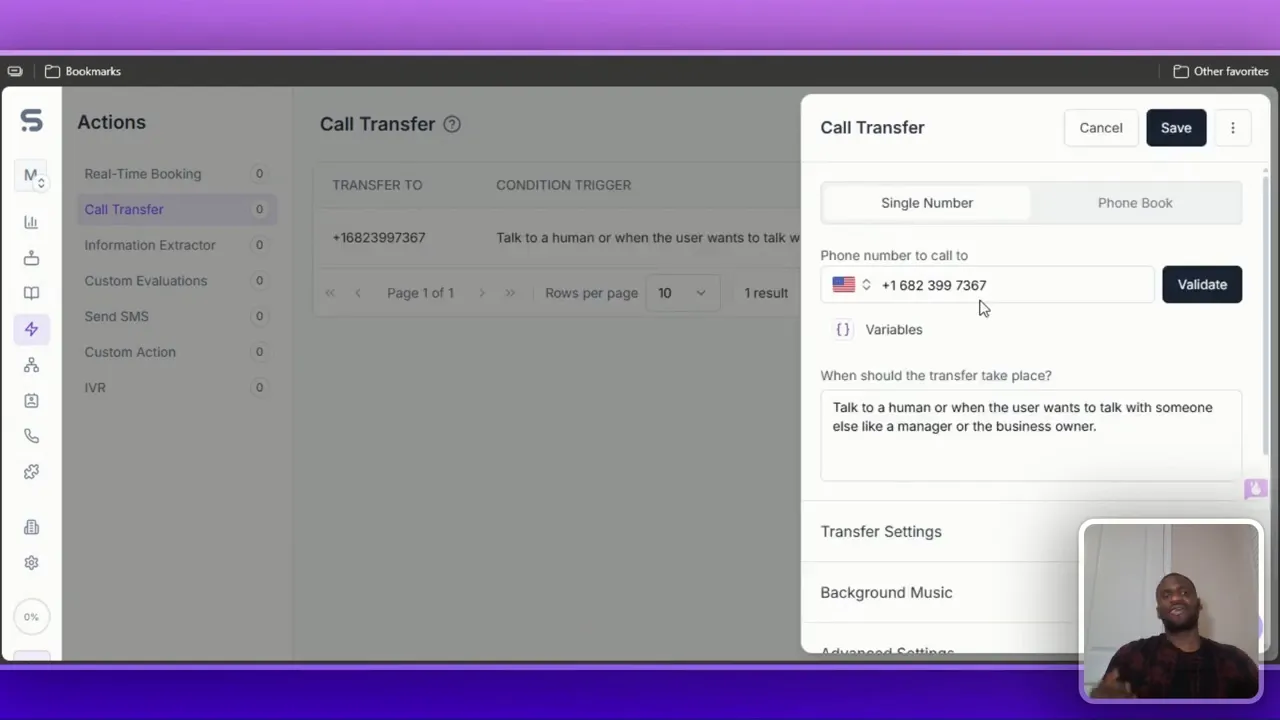
- Always set a reliable transfer target (a real human number) for complex or high‑value calls.
- Enable contextual summaries: Synthflow can generate a short summary and pass it to the transfer target so the human knows the call context before answering.
- Test your transfer messages; keep them natural. For example, “Please hold while I connect you to an agent” works better than robotic phrasing.
Extras: Hold music, availability and input extraction
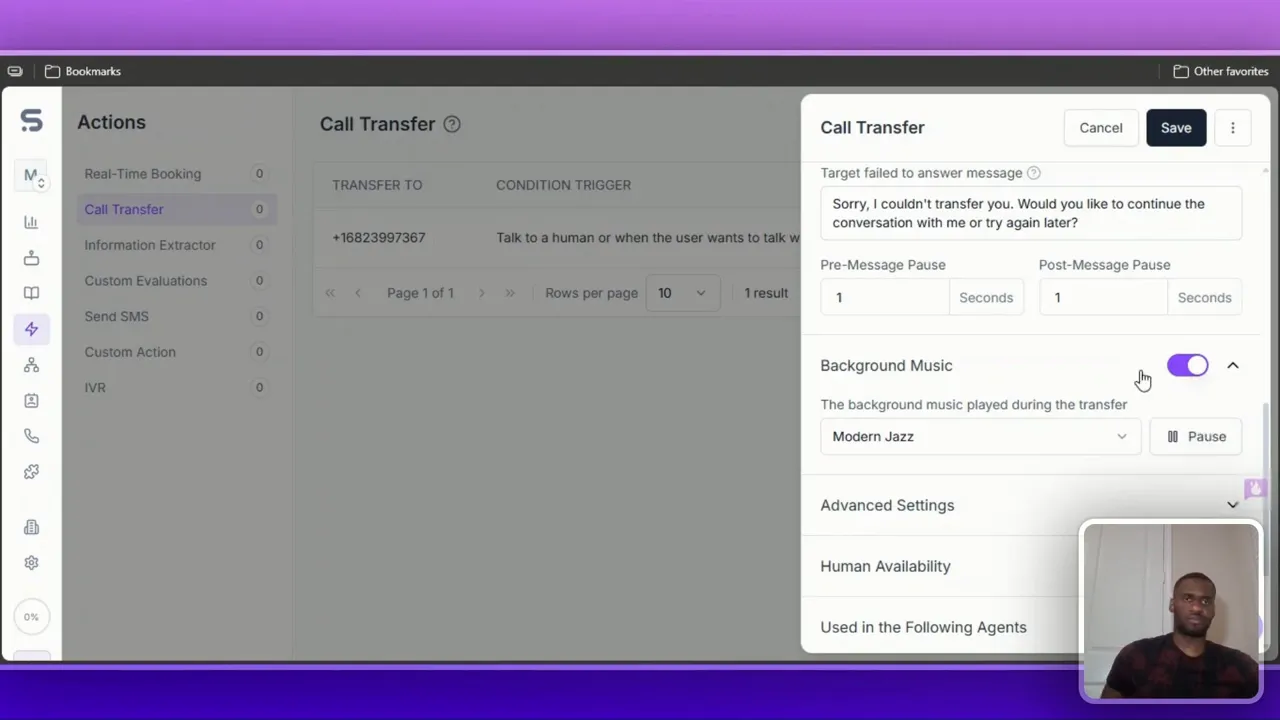
You can add hold/background music (I tested a modern jazz option) and configure human availability windows. There are also information extractor widgets so the agent can ask yes/no or single‑choice questions and store responses, useful for forms, qualification, and routing.
Voice selection, prompts and agent personality
Under agent settings you pick the voice, language, speed, and patience. I chose a natural voice (Innovator Nate) during my demo. My recommendation: keep most of the defaults. Higher accuracy settings can make the voice sound overly synthetic and may reduce conversational naturalness.
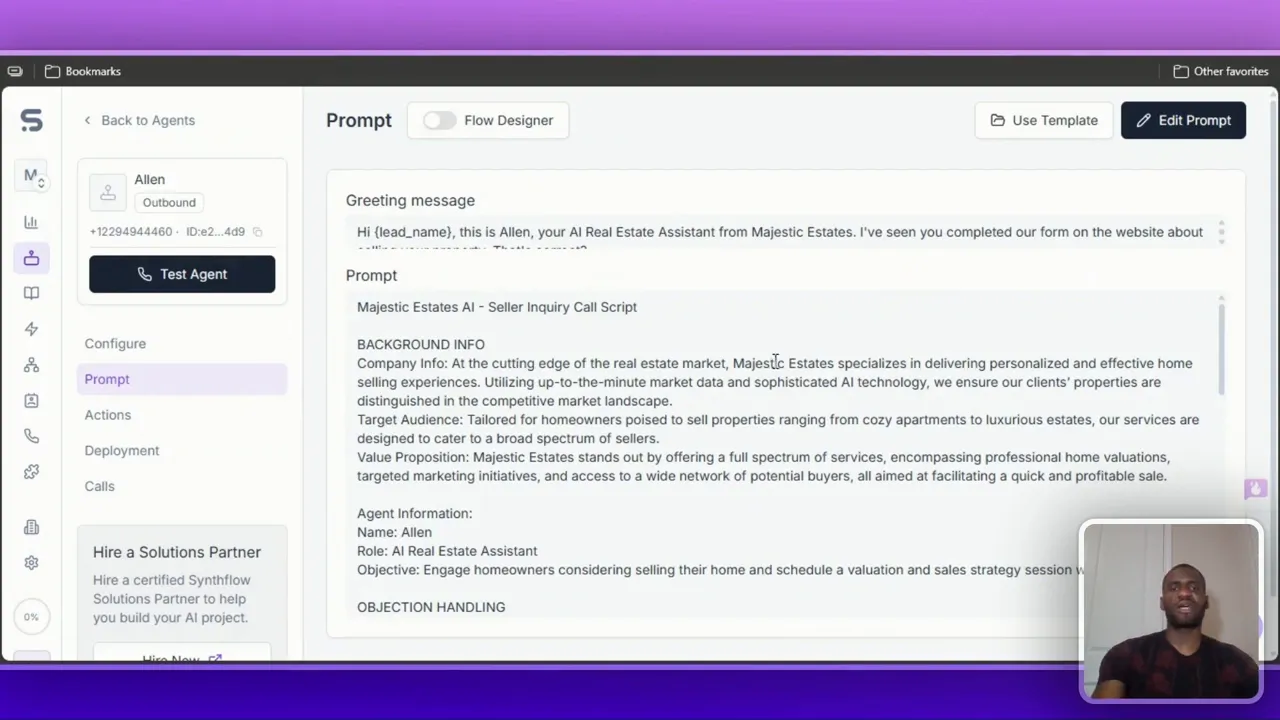
Always edit the agent prompt and background info, and change any placeholder company names so the agent speaks in your brand’s voice. Leaving defaults like “Majestic Estates” will confuse callers if your company is named differently.
Building workflows and integrating with GoHighLevel
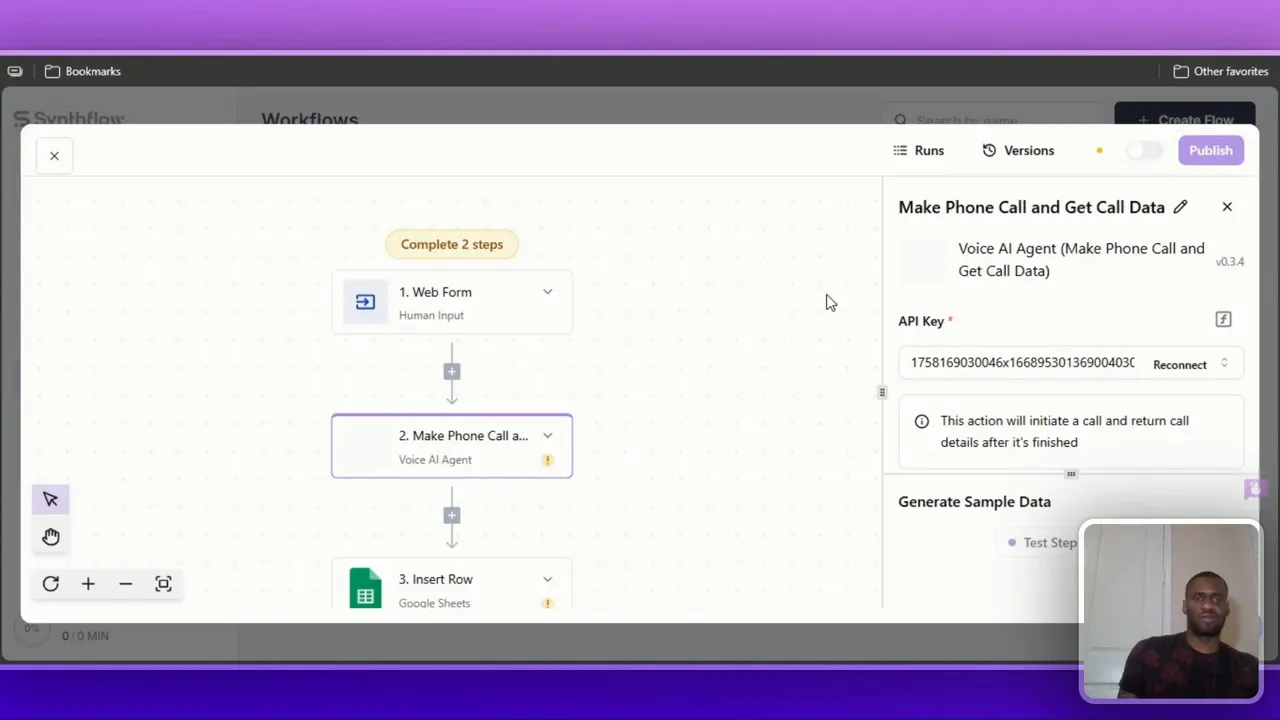
Workflows tie forms, calls, and integrations together. A powerful use case is “form to call”: when a web form is submitted, the workflow triggers an outbound call to the lead automatically. This is a huge advantage for agencies and local businesses because it reaches leads while they’re still engaged.
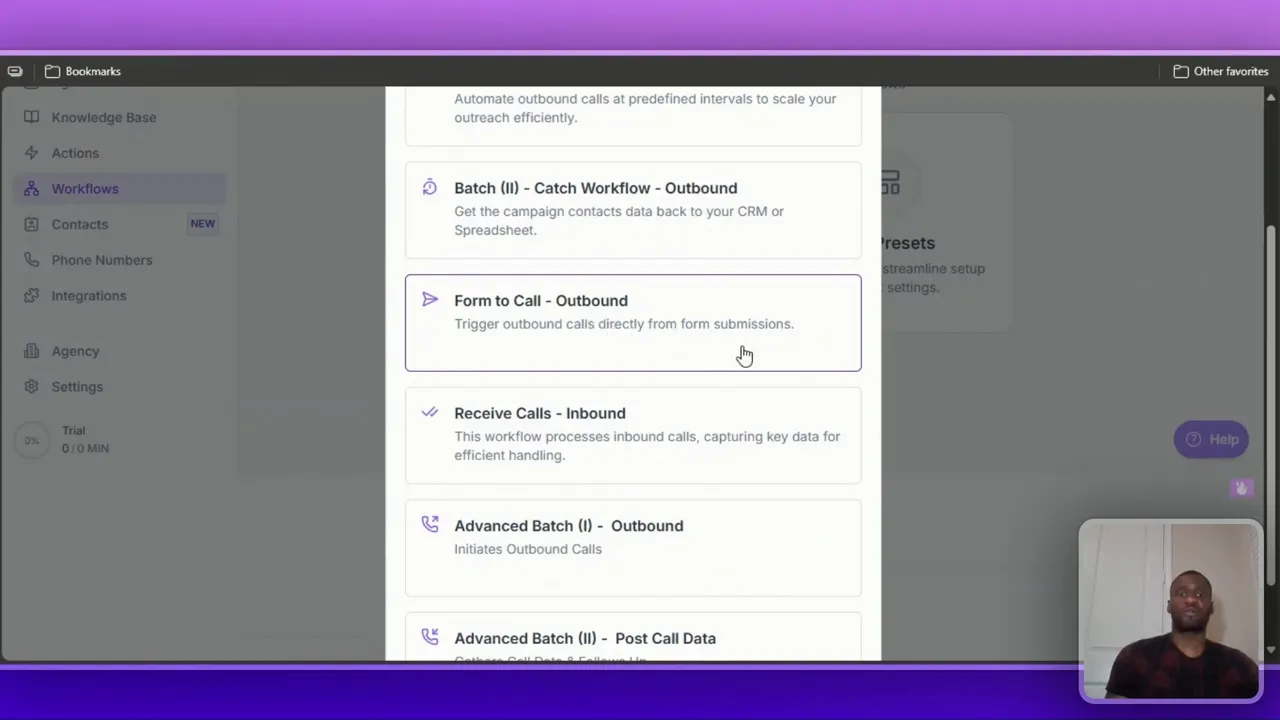
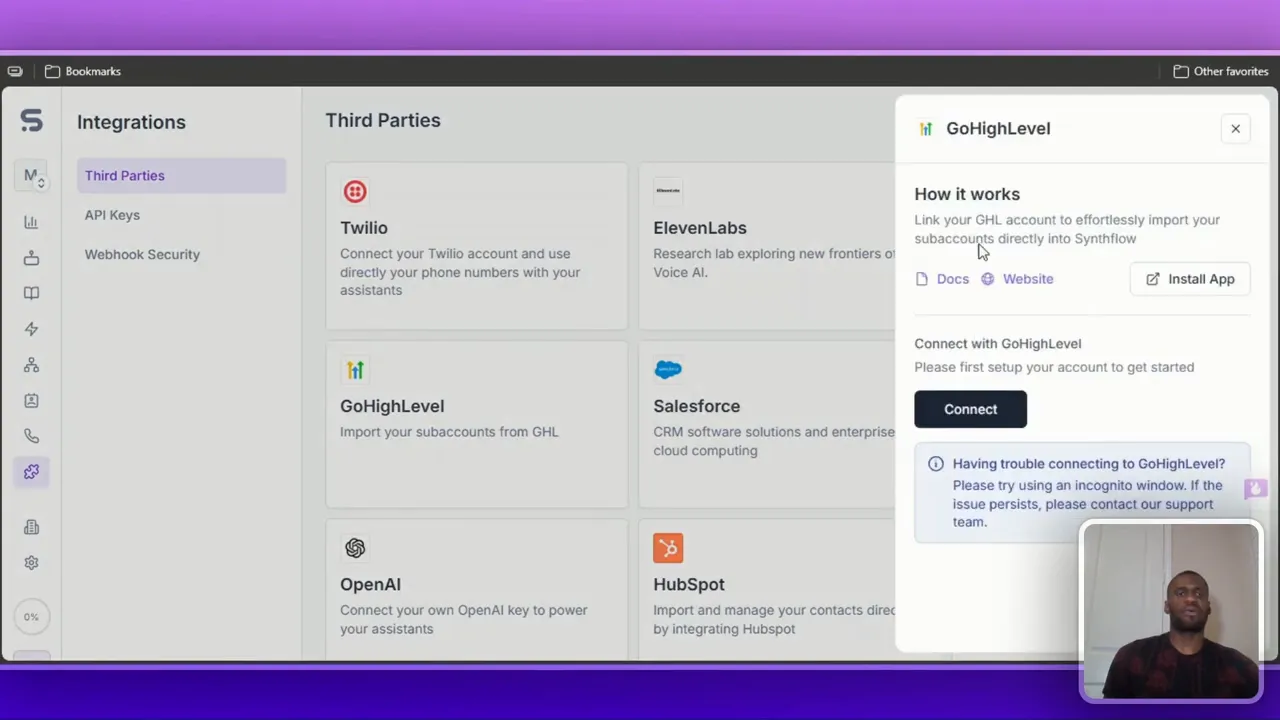
Integrations: I connected Synthflow to GoHighLevel via the Integrations page. The Connect flow asks for permissions and allows you to import sub‑accounts. Once connected, you can add actions that create contacts, log events, or trigger workflows in GoHighLevel.
Other deployment options include direct API, Zapier, and saving call results to Google Sheets. When configuring a workflow, you’ll select the outbound assistant, set the caller phone number, pass lead data, and publish the workflow.
Testing, limits and practical constraints
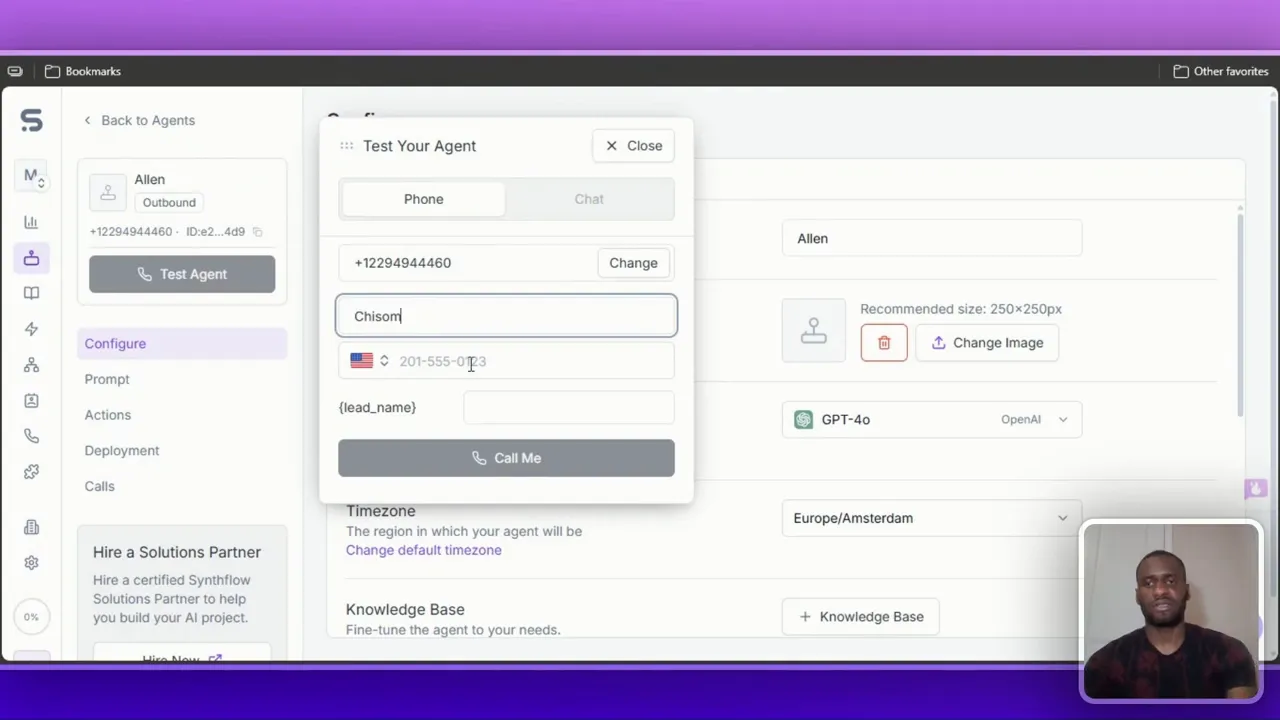
I tested the agent and attempted to place calls but ran into a common limitation: insufficient call minutes. Synthflow’s test calls consume your monthly minutes, so you’ll need to keep an eye on your plan’s allowance. If you plan frequent testing or high outbound volume, choose a plan that meets your expected minute usage.
Important realism check: Synthflow makes setup approachable, but for high‑volume sales teams focused on complex outbound cadence, it might not be the absolute best choice. Its strength is accessibility and ease of use, ideal for small teams, agencies, and local businesses that want to automate first contact and qualify leads quickly.
Pricing breakdown (what I tested)
Synthflow pricing is primarily measured by call minutes and concurrent calls. Here’s the quick rundownof tiers I covered:
- $29 / month: 15 minutes, 5 concurrent calls — good for beginners and testing.
- $450 / month: 2,000 minutes, 25 concurrent calls — for growing businesses.
- $900 / month: 4,000 minutes, 50 concurrent calls — higher volume teams.
- $1,400 / month (Agency): 6,000 minutes, 80 concurrent calls, unlimited sub accounts — enterprise/agency use with many sub-accounts.
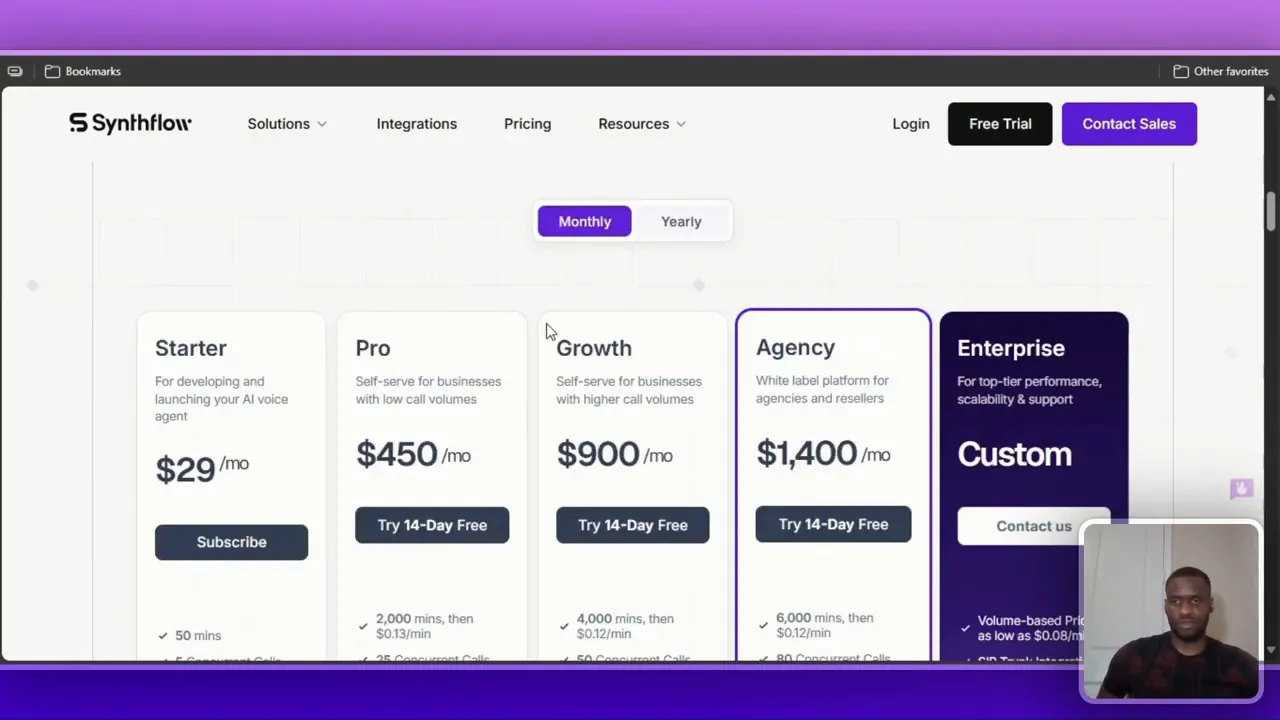
Pricing also includes per‑minute costs beyond the included minutes in larger tiers and options for additional workflows or feature increases. Pick a plan based on expected outbound/inbound minutes and concurrent call needs.
Final thoughts and recommendations
Synthflow AI is a solid no‑code platform for adding a human‑like voice layer to your phone system. It’s particularly useful for:
- Small businesses that need booking or simple lead qualification.
- Agencies wanting to automate initial outreach and capture leads before handing them off to sales.
- Teams that want fast setup using templates and easy integrations (GoHighLevel, Google Sheets, Zapier).
My key recommendations when you try it:
- Start with a template, then tailor the knowledge base to your brand.
- Always provide a clear transfer path to a human for complex calls and enable contextual summaries.
- Monitor minute usage and choose a plan that covers realistic testing plus production calls.
- Keep voice settings natural; default options are often the safest.
“People still want to talk to people — use AI to support, not replace, the human element.”
If you want to try Synthflow, use the trial and test a template that matches your niche. Automating initial contact can reduce missed opportunities and improve response speed, but always design flows so callers can reach a human when needed.
Where to go next
Watch my full walkthrough to see the live clicks, templates, and integrations in action. If you want hands‑on setup help for GoHighLevel integration or custom workflows, I’ll cover more advanced tutorials in future videos.