
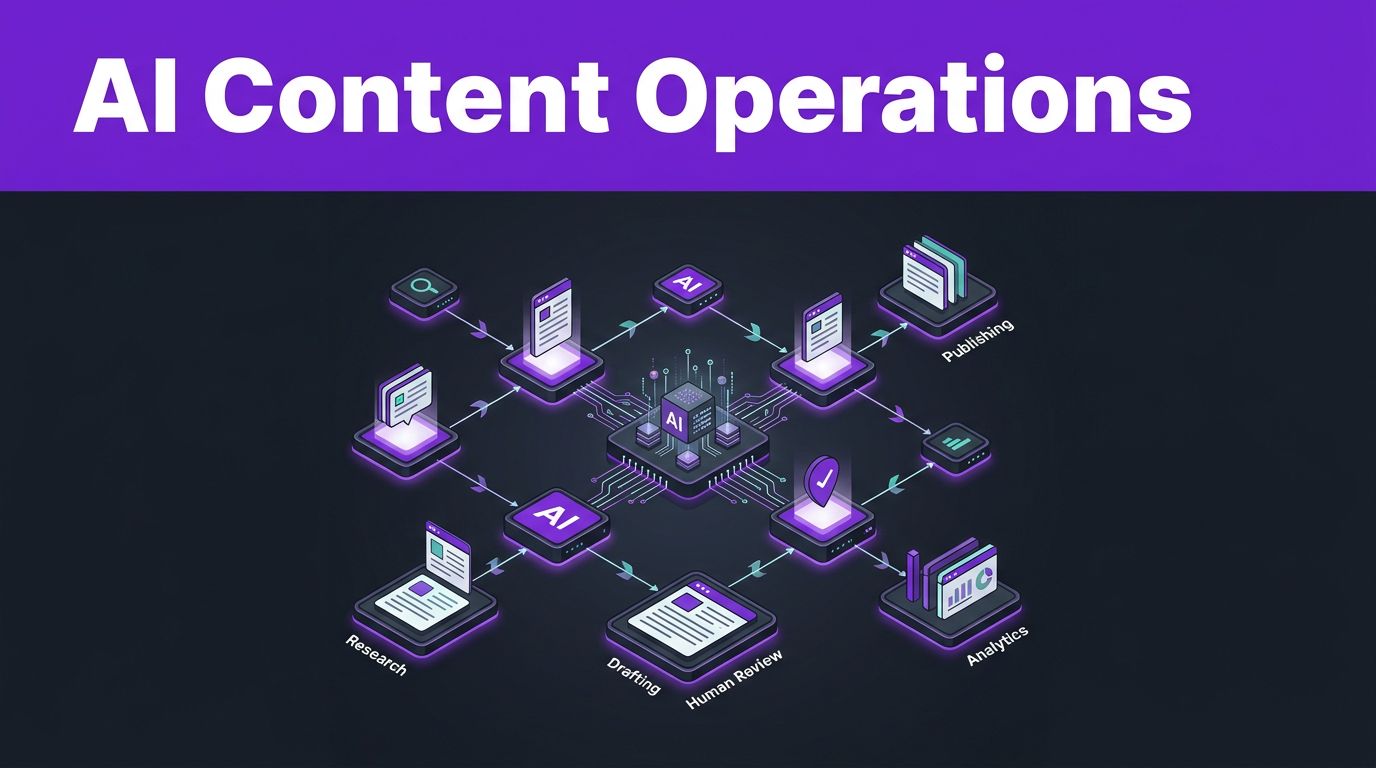

Content teams rarely struggle to find ideas. They struggle to move approved ideas through research, drafting, review, publishing, and reporting without losing context or quality.
n8n AI agents can connect the no-code automation systems your team already uses, then handle repeatable decisions and handoffs. The goal is not hands-free publishing. It is a content operation where people spend less time moving data and more time improving the work through workflow automation.
Key Takeaways
- n8n autonomous agents work best when they handle bounded tasks with clear inputs, approved tools, and defined outputs connected by specialized workflow nodes.
- Use a human-in-the-loop review process before publishing, sending outreach, changing CMS records, or acting on unverified claims.
- Structured briefs and JSON outputs make AI workflows easier to audit, route, and reuse.
- Keep source links, permissions, brand rules, and approval status attached to every content item.
- Start with one workflow bottleneck, then expand only after the team trusts the results.

Where n8n AI Agents Fit in a Content Team
An AI agent in n8n is more than a simple text generator connected to a spreadsheet. The AI Agent Node serves as the core of your automation, allowing you to use connected tools, receive information from earlier nodes, choose an action, and return structured output for the next step.
This makes n8n ideal for orchestration that crosses multiple systems. A new campaign request can arrive through a form, pull product details from Notion, check existing pages in Google Drive, generate a brief, and create an Asana task. Because n8n relies on visual workflows, every action remains visible and easy to audit in the workflow history.
Current n8n builds support multiple model providers, memory options, and structured output. By leveraging tool calling and MCP connections, these agents can interact directly with your files, databases, and APIs. The n8n AI Agent integrations page is a useful reference for seeing how to connect these nodes to your existing content stack.
Content operations usually have five recurring stages:
| Stage | Agent’s job | Human owner’s job |
|---|---|---|
| Planning | Classify requests and prepare briefs | Set priorities and approve direction |
| Research | Gather sources and flag gaps | Validate claims and source quality |
| Production | Create first drafts and content variants | Edit for voice, accuracy, and originality |
| Publishing | Prepare CMS fields and distribution tasks | Approve publication and final metadata |
| Reporting | Collect performance signals and draft insights | Decide what to update, stop, or scale |
The agent should not become the owner of the editorial calendar. Instead, it should keep the calendar clean, current, and easier to manage.
For example, an agent can detect that three briefs target the same search intent. It can flag the overlap before writers spend hours producing competing pages. A content lead then decides whether to merge, reposition, or pause the work.
Build the Workflow Around Clear Boundaries
Reliable automation starts before the AI Agent node by establishing deterministic automation. First, define the trigger, the source of truth, the tools the agent can access, and the action it may take. Loose instructions create loose outputs.
A practical content workflow often has this order:
- Trigger nodes capture a request, update, or performance event.
- Data nodes collect approved context from your project tools.
- The AI agent completes one defined task.
- Validation checks test output format, missing fields, and confidence.
- A human approves any action with public, legal, financial, or brand impact.
- The workflow writes results back to the project system and alerts the right person.
Use a database, Airtable base, Notion database, or spreadsheet as the content record. Give every item a content ID, owner, audience, format, target topic, status, source list, reviewer, and publication URL. That record prevents the agent from treating each run as an isolated conversation.
Structured output matters. When building custom AI agents, instead of asking the system to make a content brief, require fields such as audience, search_intent, working_title, questions_to_answer, source_gaps, and recommended_format. JSON schema validation can reject malformed output before it reaches your planning system.
Let agents recommend and prepare. Let accountable people approve decisions that affect your audience, reputation, or customer data.
Keep instructions short and firm. A useful system prompt might say:
You are a content operations assistant. Use only the supplied documents and approved tools. Do not invent statistics, quotes, customer examples, or product features. Return valid JSON. Mark any unsupported claim as “needs verification.”
Model routing can also reduce cost. Use a lighter model for tagging, duplicate detection, and formatting. Route difficult synthesis, technical explanations, or sensitive brand copy to a stronger model. Your team can compare Claude and ChatGPT for blog writing by evaluating the strengths of GPT-4 and Claude 3.5 Sonnet before assigning models to different content tasks.
Workflow Example: Turn Requests Into Usable Content Briefs
A vague Slack message can turn into a three-day planning loop. This workflow turns an approved request into a brief that a strategist can refine in minutes, representing a high-impact no-code automation for your content planning process.
Trigger: A new row enters an Airtable or Google Sheets content-request queue, or a form submission arrives through Typeform.
Agent context: The workflow pulls the campaign goal, target customer, product notes, brand voice guide, existing URLs, and recent performance data. It also checks whether a similar topic already appears in the content database.
Tools and integrations: Use Airtable, Notion, Google Drive, Slack, and an AI Agent node. Add an HTTP Request node to connect directly with your keyword or SEO platform API.
Agent task: Ask the agent to classify the request by funnel stage, audience, format, and search intent. Then have it build a brief with a proposed angle, outline, internal-link opportunities, questions to answer, and research requirements.
Output: The workflow creates a Notion page or Asana task, attaches the draft brief, and assigns it to a strategist. It can also post a Slack message with the content ID and review link.
Human-review step: The strategist approves the target audience, angle, and outline. Only then should the workflow change the item from “Brief Draft” to “Assigned.”
A practical prompt can keep the agent focused:
Create a brief for the requested topic. Use the approved brand guide and source list. Identify duplicate or competing pages. Separate confirmed facts from research questions. Do not write the article draft.
This approach works well when teams use tools such as Frase for research and outlines. A Frase.io review for content creation can help you decide whether its research output belongs in your workflow as another input, rather than treating it as the final editorial answer.
For fast setup ideas, browse n8n’s AI workflow templates. Treat templates as starting points. Replace their sample prompts, credentials, and publishing logic with your own rules before activating anything.
Workflow Example: Build Research Packs With Verification Gates
Research is where content automation can save time or create expensive mistakes. While an agent can gather, organize, and summarize information, it cannot establish that every web claim is true. To improve accuracy, you should build your research workflow as a RAG system. This setup utilizes a vector store to retrieve your approved documentation and proprietary data, ensuring the agent works from a trusted knowledge base.
Trigger: A content brief reaches “Research Needed” status.
Agent context: The workflow receives the approved outline, audience, product documentation, existing articles, and a list of approved source types. For a software article, those might include official documentation, release notes, pricing pages, customer case studies, and reputable publications.
Tools and integrations: Connect Google Drive, Notion, a web-search tool, your CMS, and a database for source records. n8n can use provider-native search tools where available, or connect search services through nodes and APIs to populate your vector store.
Agent task: The system performs intelligent orchestration to group citations by section. It finds sources that support each outline point and extracts the title, URL, publication date, author or organization, relevant quote or data point, and a short explanation of what the source proves.
Output: The agent creates a research pack with citations grouped by section. It also flags claims with no primary source, conflicting details, stale dates, or unclear attribution.
Human-review step: A subject-matter expert, editor, or researcher checks every claim the final article will make. They reject weak sources and confirm that each citation supports the exact sentence beside it.
Do not allow an agent to write a statistic into a draft if it cannot identify the original report. A press release repeating an old survey is not the same as the survey, and a competitor blog post is not proof of a product feature.
This workflow can also protect your editorial team from accidental copying. Ask the agent to summarize source material in fresh language and list direct quotations separately. Writers should only use quotes when attribution, context, and permissions are clear.
For content involving customer stories, employee interviews, screenshots, or user-generated material, store the permission status in the same content record. The workflow should block publication when that field is blank or expired.
Workflow Example: Route Drafts Through Brand and Fact Review
A draft can look polished while still missing product details, overpromising results, or drifting away from the brand voice. Review is where n8n agents become useful editorial assistants rather than risky auto-publishers. In modern content operations, you can implement multi-agent systems to handle different editorial checks, where specialized agents focus on specific tasks like tone, factual accuracy, or SEO compliance.
Trigger: A writer changes a Google Doc, Notion page, or CMS draft to “Ready for Review.”
Agent context: Pull the approved brief, brand style guide, product information, research pack, mandatory disclosures, and previous approved articles. Limit access to the materials the task requires. By using state management, these workflows can effectively track agentic AI findings across complex review tasks, ensuring that feedback is consistent and that no critical oversight is lost during the iteration process.
Tools and integrations: Use Google Drive or Notion for documents, Slack or Microsoft Teams for alerts, and an AI Agent node for review. A structured output parser can place findings into fields instead of sending an unmanageable wall of feedback.
Agent task: Compare the draft against the brief. Flag unsupported factual claims, missing citations, inconsistent terminology, excessive repetition, unclear headings, missing disclosures, and statements that sound more certain than the source permits.
Output: The agent creates a review report with severity labels such as “blocker,” “editorial review,” and “optional improvement.” It can open an Asana task for blockers and add comments to the draft.
Human-review step: An editor accepts, rejects, or revises every recommendation. The agent should never rewrite a legal, medical, financial, or product claim without an approved source and a responsible reviewer.
Use brand rules that describe what good copy sounds like. “Friendly” is too vague. Give the agent approved examples, banned claims, preferred product names, reading level, citation standards, and rules for comparisons.
For example, the instruction can say:
Flag claims that use “best,” “guaranteed,” or numerical performance language without evidence. Preserve the writer’s argument. Suggest a revision only when the supplied sources support it.
This is also a sensible place to compare drafts against your preferred production tools. Teams that use Jasper can review its role in the process through this Jasper AI copywriting guide, then decide where generated text needs extra editorial controls.
Workflow Example: Prepare Publishing, Repurposing, and Reporting
Publishing creates several repeatable tasks, but public actions need the strongest safeguards. Using the n8n visual builder, you can orchestrate workflows that prepare CMS fields, distribution drafts, and reporting summaries while editors retain control over the final button. For teams with strict data security requirements, n8n can be self-hosted to ensure sensitive information never leaves your private environment.
Trigger: An editor marks a piece Approved for Production.
Agent context: The workflow gets the final document, approved title, target keyword or topic, featured-image permission, canonical URL plan, internal links, disclosure text, and platform rules.
Tools and integrations: Connect your CMS, social scheduler, email platform, Google Analytics 4, Google Search Console, Slack, and your content database. Use a separate credential with limited CMS permissions whenever possible.
Agent task: Extract title options, meta description candidates, URL slug suggestions, image alt text, pull quotes, newsletter copy, and social captions. By utilizing LangChain components within the workflow, you can implement advanced logic to map the article to related existing pages more accurately.
Output: The workflow fills a CMS draft, creates social and email drafts, and writes all assets into the content record. It should leave the CMS post unpublished.
Human-review step: An editor checks formatting, links, accessibility, copyright status, disclosures, and factual accuracy. A publisher then approves the post manually or authorizes a narrowly scoped publishing action.
n8n tool-level human approval can pause a workflow before a connected tool runs. For content teams, use that control before publishing a post, sending an email campaign, creating paid ads, or changing a live page. The reviewer should see the proposed parameters, not a vague approval request.
Repurposing also needs source discipline. An agent can turn an approved article into a LinkedIn post, email section, video outline, or content-refresh task. However, it must keep the original scope. A blog post’s carefully qualified claim can become misleading when shortened into a social caption.
After publication, run a weekly reporting workflow. It can collect impressions, clicks, rankings, conversions, and engagement data, then compare them against the page’s original goal. The agent can flag pages with falling clicks, high impressions but weak click-through rates, broken links, or outdated product references.
Use performance reports to create review queues, not automatic rewrites. A drop in traffic may come from seasonality, ranking changes, tracking errors, or a stronger competitor. An editor needs that context before changing a page.
If you are testing tools for your production stack, the site’s Free AI Tools collection can provide options for drafting, research, and editing experiments.
Protect Data, Permissions, and Editorial Accountability
Content workflows often touch confidential material. Product roadmaps, customer stories, unpublished campaigns, analytics, and contributor drafts should not flow into a model or app without approval. When you deploy production AI for your content operations, treating data security as a core pillar of your architecture is essential.
Start with least-privilege access. Give the research workflow read-only access to a source folder. Give the publishing workflow permission to create drafts, not publish live pages. Keep production credentials separate from test credentials.
Data minimization also matters. Don’t pass an entire CRM record into an AI prompt when the agent only needs company industry and approved messaging. Remove personal data, contract terms, customer identifiers, and private strategy notes unless the task truly requires them. This is especially vital when using production AI, as keeping your data inputs lean minimizes potential risks.
Set retention rules for execution logs, prompt inputs, and agent memory. n8n supports different memory approaches, but a content agent does not need unlimited conversation history. Old context can cause inaccurate recommendations and expose information that no longer belongs in the workflow.
A simple escalation policy helps teams use workflow automation to act consistently:
- Send factual uncertainty to a researcher or subject-matter expert.
- Send brand or positioning disagreements to an editor or marketing lead.
- Send copyright, licensing, privacy, and disclosure issues to the appropriate legal or compliance owner.
- Stop the workflow when required approval fields are incomplete.
By implementing these permission gates through workflow automation, you ensure that human oversight remains the final word in your editorial process.
Monitor runs after launch. Check failed executions, approval denials, duplicated tasks, API errors, and agent outputs that require heavy rewrites. n8n’s execution history and debugging tools make this practical, especially when a long workflow involves multiple systems.
Frequently Asked Questions
Can n8n AI agents automatically publish content to my CMS?
While n8n can technically connect to your CMS to push content, it is highly recommended to include a mandatory human-in-the-loop review step before any final publication. This ensures that a qualified editor verifies the accuracy, brand voice, and legal compliance of the content before it goes live.
What is the advantage of using n8n over simple AI chatbots for content work?
n8n allows you to build complex, orchestrated workflows that connect disparate tools like your project management database, SEO platforms, and storage drives into one cohesive system. Unlike a chatbot, an n8n agent operates within defined boundaries and can pass structured data between steps to automate entire operational sequences.
How do I prevent the AI from fabricating facts or data points?
To minimize hallucinations, you should use a RAG (Retrieval-Augmented Generation) system that forces the agent to reference only your approved documentation or verified research packs. Additionally, you should include specific instructions in your system prompt to mark any unverified claims for human review and reject any output that lacks a primary source citation.
How should I handle sensitive company data when building these agents?
You should always practice data minimization by only passing the specific fields necessary for a task rather than entire databases. Furthermore, leverage n8n’s ability to use separate, restricted credentials for different workflows and consider a self-hosted instance if your organization has strict data security requirements.
Build Content Operations People Can Trust
n8n AI agents work when they remove repetitive coordination without removing editorial judgment. A strong workflow gives the agent a narrow job, reliable context, limited permissions, and a person who owns the final decision.
Start with one bottleneck, such as brief creation or research-pack assembly. Once the workflow produces work your team trusts, expand it into review, publishing preparation, and reporting.
The best content automation with n8n AI agents leaves your team with more time for original ideas, verified claims, and better editorial decisions.
This post may contain affiliate links. If you make a purchase through these links, I may earn a small commission at no extra cost to you.