In today’s fast-paced digital world, content creation can often be a lengthy and complex process. As a content creator myself, I’m always on the lookout for tools that can simplify my workflow and help me produce videos quickly without sacrificing quality. That’s why I’m excited to share my detailed review of Fliki AI, a revolutionary video creation tool that leverages artificial intelligence to speed up video production. Whether you’re a marketer, educator, e-commerce entrepreneur, or social media influencer, Fliki AI offers an impressive array of features designed to make your video creation process seamless and efficient.
In this review, I’ll walk you through the core features of Fliki AI, its pricing plans, my hands-on experience using the platform, and why I believe it outperforms other similar tools like Pictory. If you’re looking to create YouTube videos fast or want to explore AI-powered video creation, this article will give you everything you need to know to get started.
Table of Contents
- What is Fliki AI?
- Key Features of Fliki AI
- Pricing Plans and Value
- Hands-On Experience: Creating Videos with Fliki AI
- Why Fliki AI Stands Out Compared to Other Tools
- Use Cases: How You Can Leverage Fliki AI
- Tips for Getting the Most Out of Fliki AI
- Frequently Asked Questions (FAQs)
- Final Thoughts
What is Fliki AI?
Fliki AI is an AI-powered video creation tool that helps you transform text, ideas, blogs, tweets, and even URLs into engaging videos in just minutes. The platform’s core appeal lies in its speed and cost-effectiveness. It’s built to serve a wide range of use cases including:
- Content creation
- Marketing and social media campaigns
- E-commerce product videos
- Localization and translation
- Education and e-learning
- Business incorporation videos
One of the standout features of Fliki AI is its ability to convert text directly into videos using AI voices that sound incredibly lifelike. This means you can take a blog post, a script, or even a tweet and instantly turn it into a video with voiceover, subtitles, relevant visuals, and background audio — all without needing advanced video editing skills.
Key Features of Fliki AI
Fliki AI’s toolbox is robust and varied, designed to cater to different types of creators and their specific needs. Here are some of the key features that impressed me:
1. Text to Video
This feature allows you to input any text, whether it’s a script or a blog, and Fliki AI will automatically generate a video complete with relevant images or stock footage, voiceovers, and subtitles. It’s perfect for those who want to repurpose written content into video format quickly.
2. Idea to Video
If you have a simple idea or prompt, you can enter it, and Fliki AI will create a video based on that concept. This feature is great for creators who want to test video ideas rapidly without putting in hours of pre-production work.
3. Blog to Video
By providing a URL to your blog post, Fliki AI can summarize the content and convert it into a video. This is especially useful for bloggers looking to expand their reach by turning written content into engaging multimedia formats.
4. Tweet to Video
Fliki AI can transform tweets into short videos, which is an innovative way to breathe new life into your social media posts.
5. Product Videos
E-commerce sellers can create compelling product videos with minimal effort, helping to boost conversion rates.
6. AI Voice and Voice Over
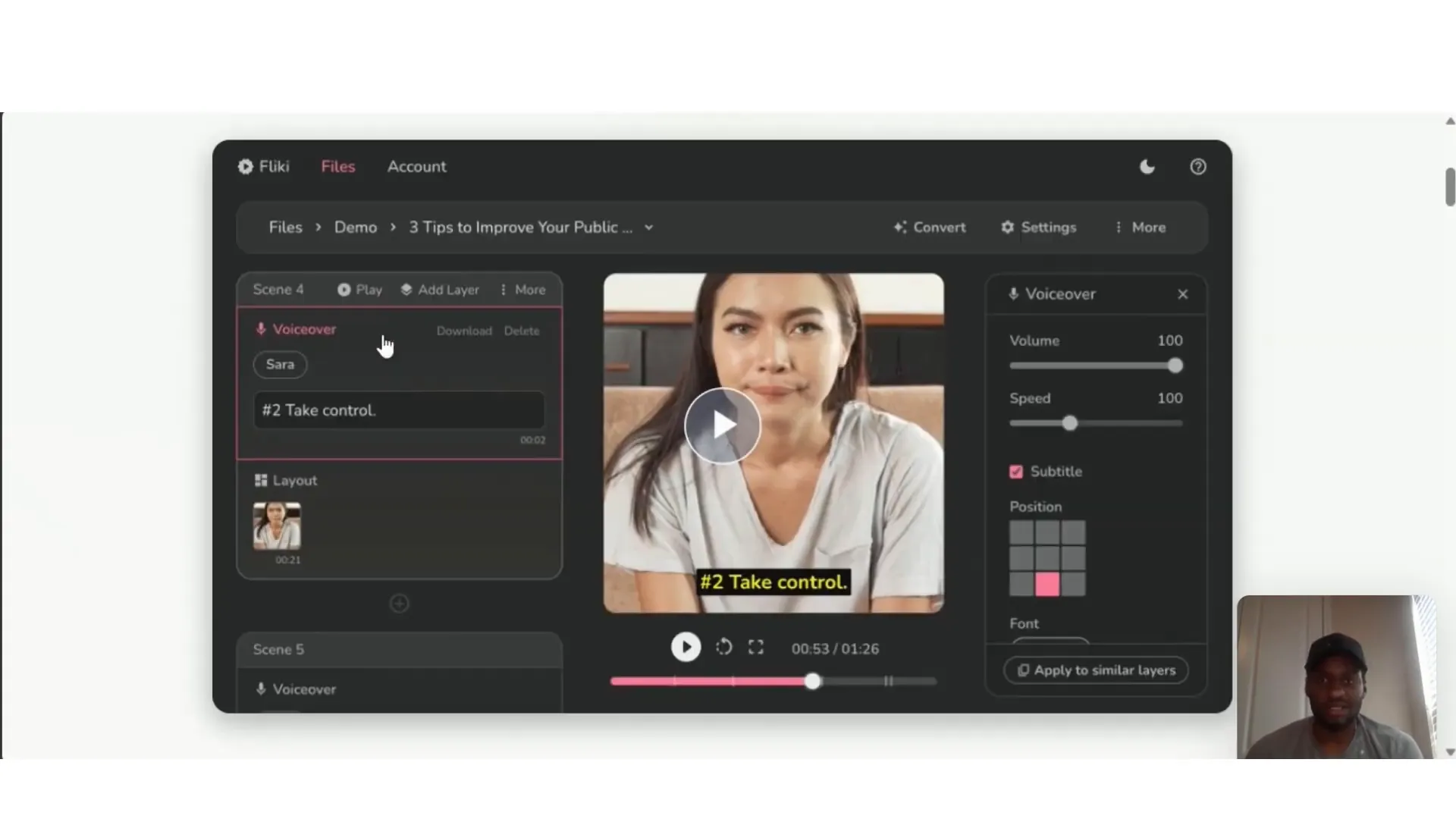
The platform includes a wide selection of AI voices with over 300 options and supports more than 75 languages. You can select the voice that best matches your accent or brand tone, including regional dialects like Nigerian English. Additionally, you can apply a single voiceover across all video segments seamlessly.
7. Voice Cloning
For premium users, Fliki AI offers voice cloning capabilities, allowing you to clone your own voice or a preferred voice for personalized and consistent narration across videos.
8. PowerPoint to Video and Photo to Video
Convert your presentations or photo collections into dynamic video content effortlessly.
9. Translation and Localization
Fliki AI supports multiple languages and offers translation services, making it easier to create localized content for global audiences.
10. Background Audio and Subtitles
You can add your own background music to videos and customize subtitles, including toggling them on or off across the entire video for a cleaner look.
Pricing Plans and Value
One of Fliki AI’s biggest selling points is its affordability and flexible pricing plans. Here’s a quick breakdown of what you get with each plan:
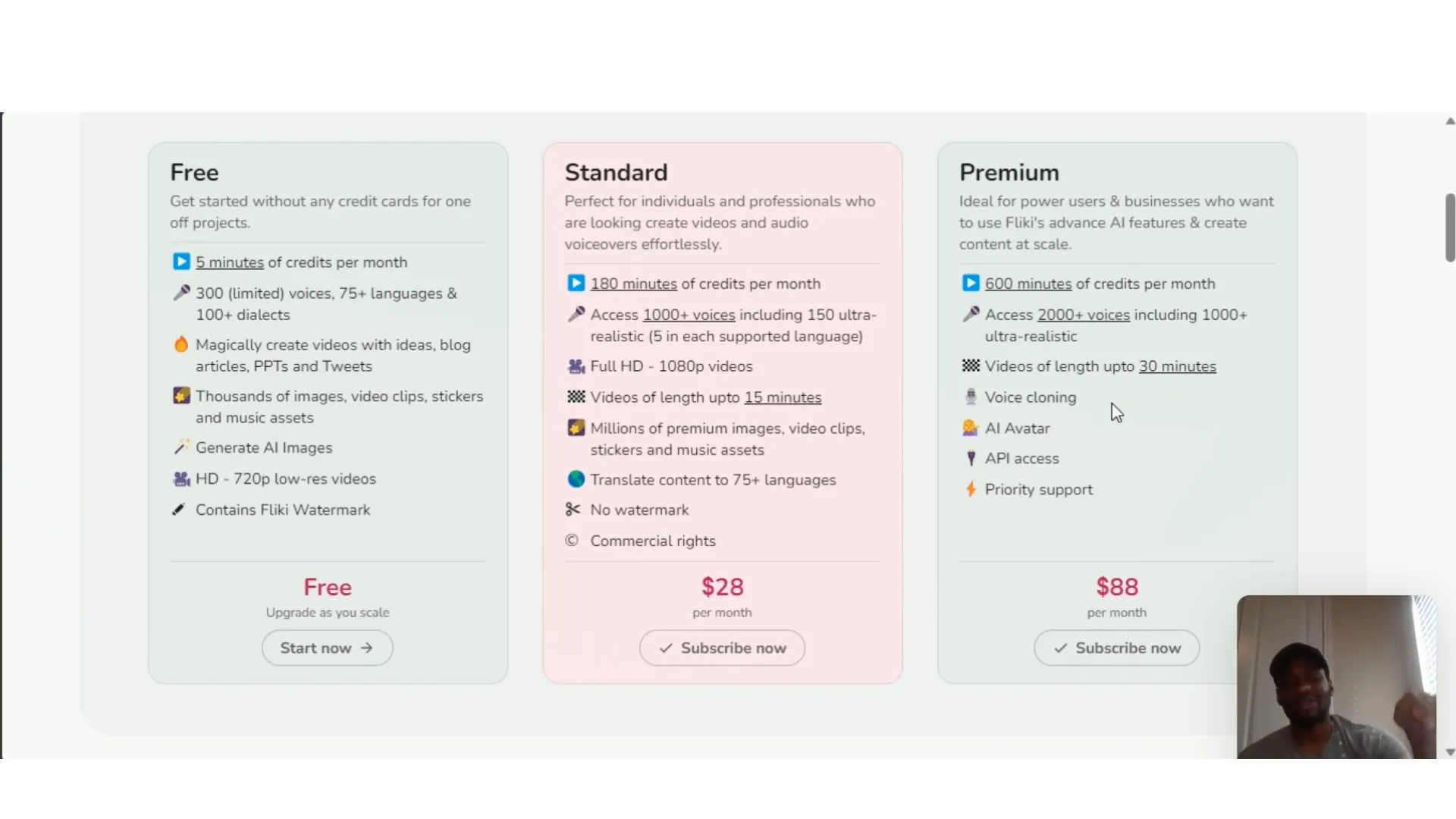
- Free Plan: Offers 5 minutes of video credits per month, access to 300 limited voices, support for 75+ languages, ability to generate AI images, and 720p video exports. Videos created on the free plan include a Fliki watermark.
- Standard Plan: Removes watermarks, offers more minutes of video creation, and additional features compared to the free plan.
- Premium Plan: Includes all features, higher limits, and access to advanced capabilities like voice cloning with multiple read attempts.
For those serious about content creation, upgrading to the standard or premium plan unlocks significantly more value. I personally tested the premium features and found them worthwhile, especially the voice cloning and extended video lengths.
Hands-On Experience: Creating Videos with Fliki AI
Let me walk you through my experience using Fliki AI to create videos, highlighting the user interface, workflow, and results.
Getting Started and Interface
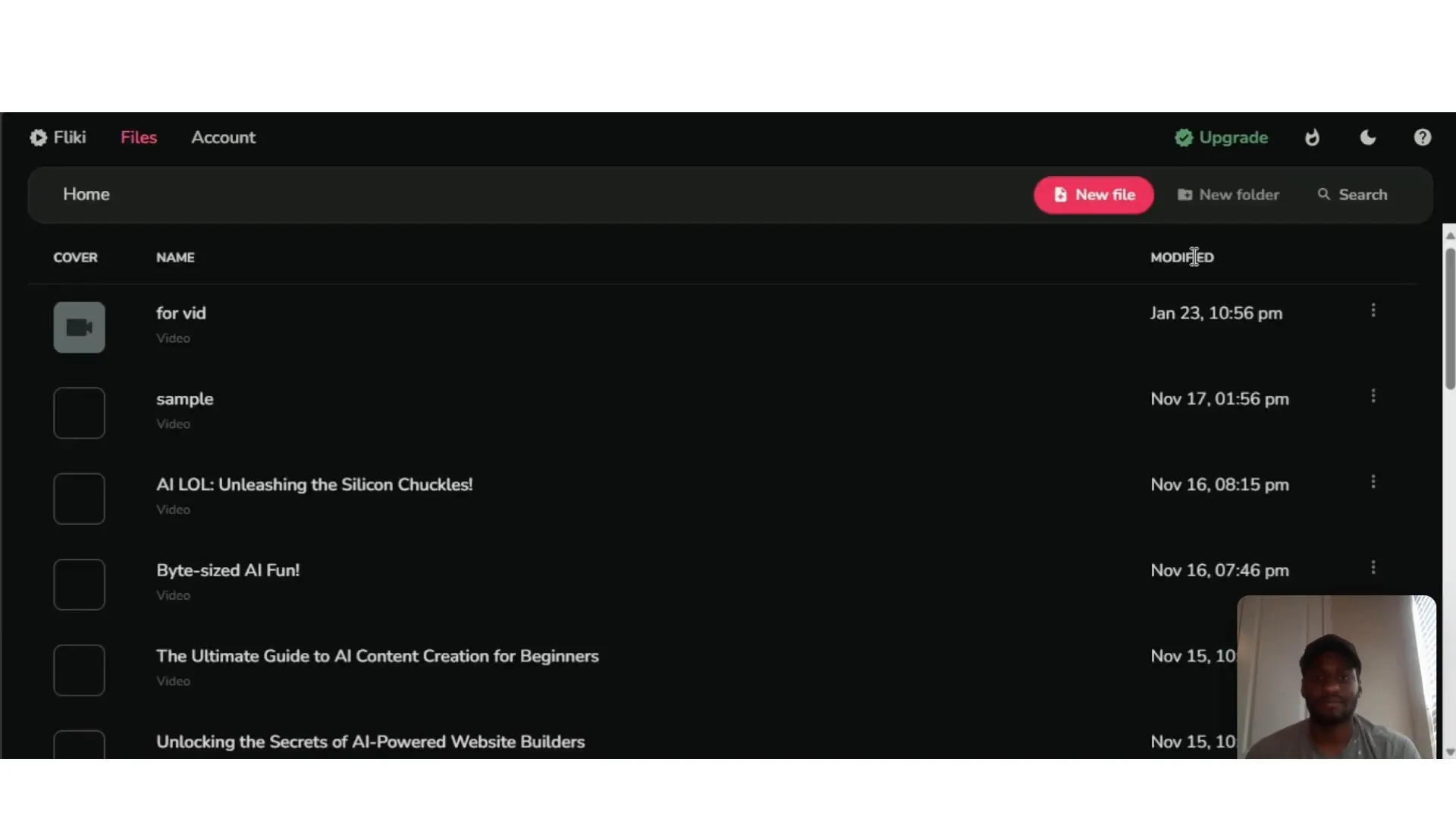
Once you log in, you’re greeted with a clean dashboard showcasing all your projects and an option to create a new file. The interface is intuitive and beginner-friendly, making it easy to start a new video project.
Step 1: New Project Setup
When creating a new video, you first select your language and dialect — a feature I found useful since I could choose a voice that matched my Nigerian English accent. You then name your file and pick the aspect ratio suited for your target platform:
- Square: Ideal for Facebook posts
- Portrait: Best for Instagram and TikTok
- Landscape: Perfect for YouTube
Step 2: Choose Video Type
You can start from scratch with an empty file or select from various content types like idea, blog, PowerPoint, tweet, or product video. For my test, I chose “idea” and then “blog” to demonstrate how flexible the tool is.
Step 3: Input Prompt or URL
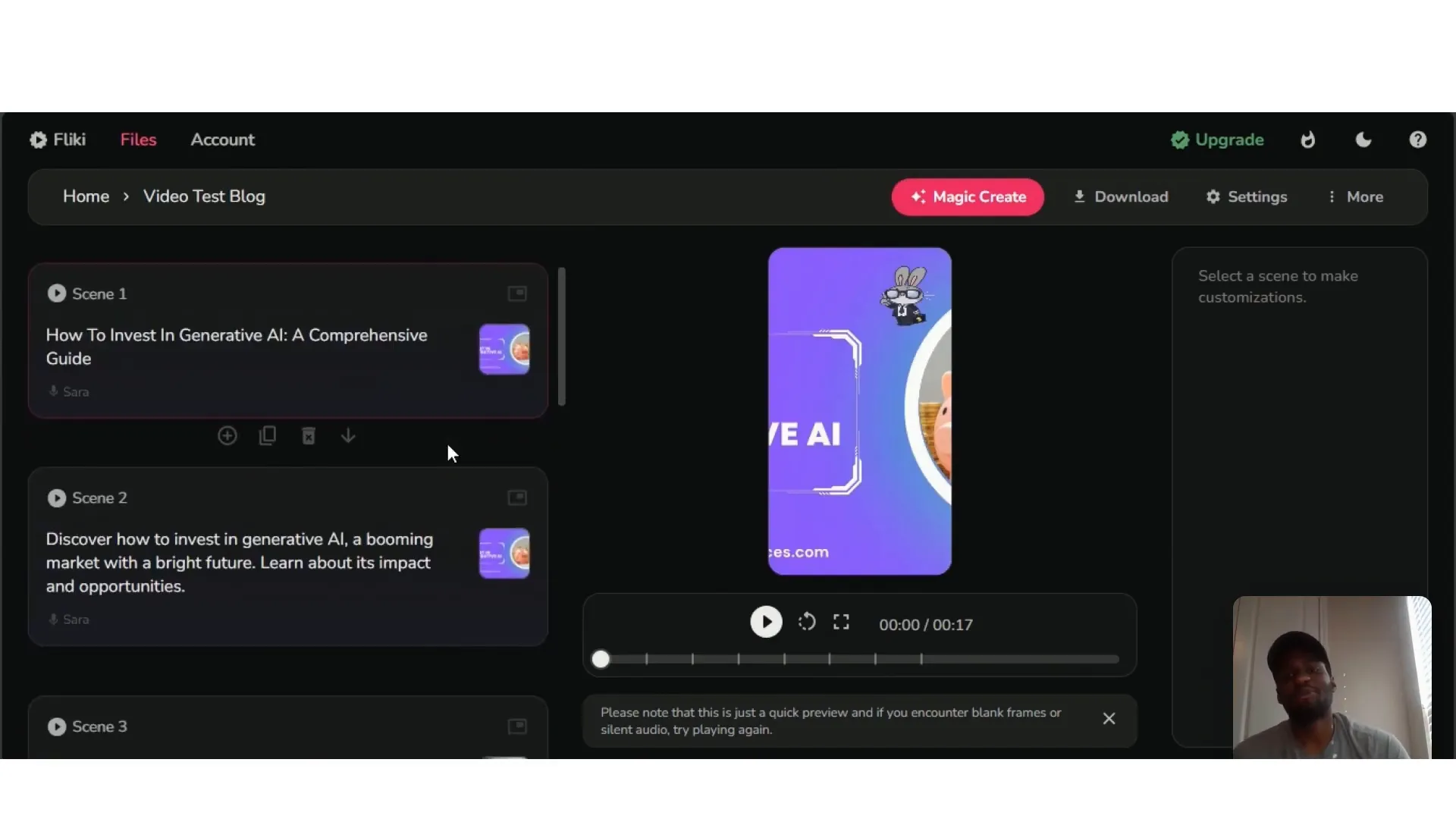
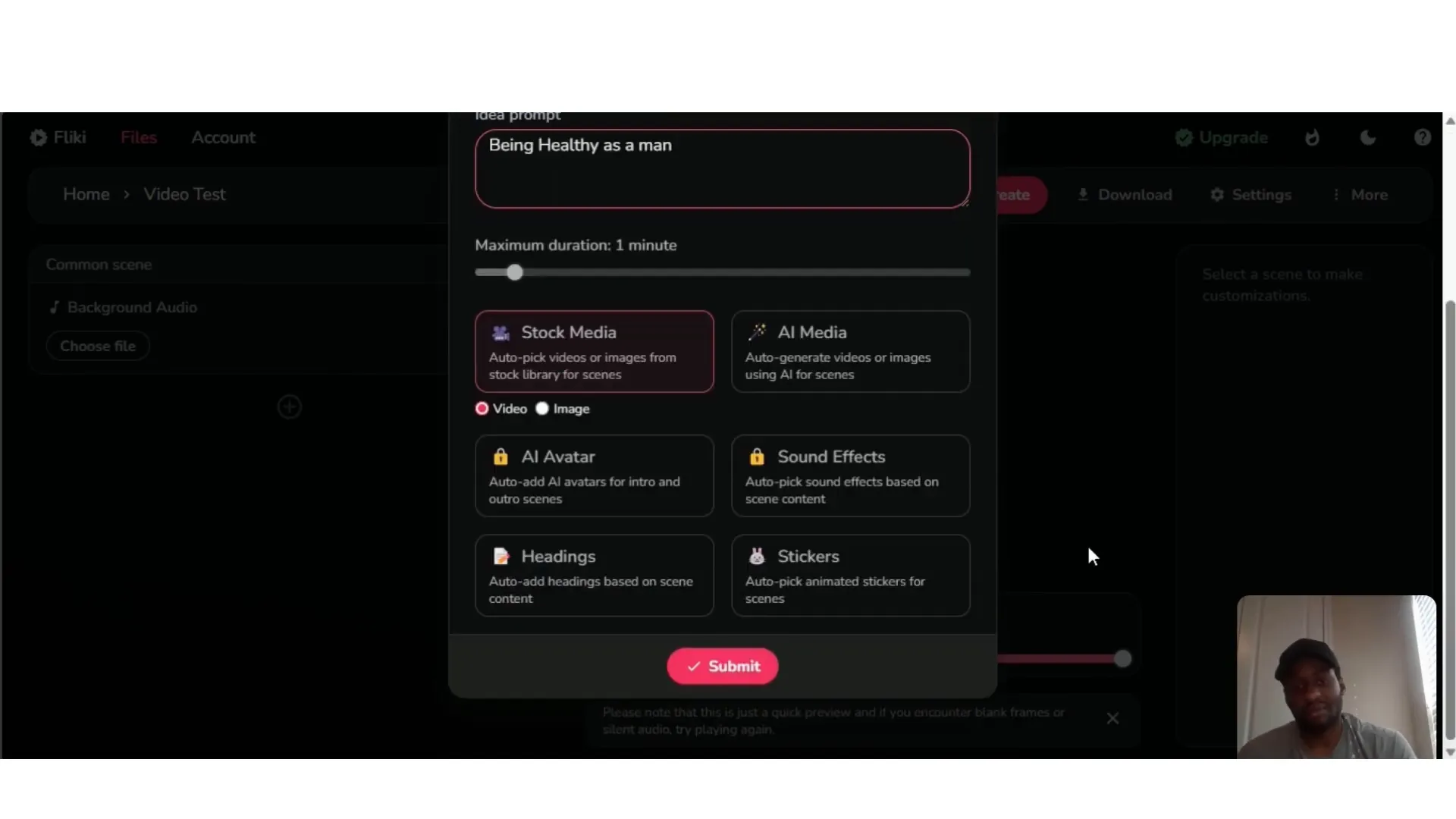
For the idea-to-video feature, I provided a prompt about “being healthy as a man.” Fliki AI quickly generated a video script and matched it with relevant stock footage and images. For the blog-to-video feature, I input the URL of a blog post titled “How to invest in generative AI,” and the tool summarized and created a video based on the content.
Step 4: Customize Voiceover
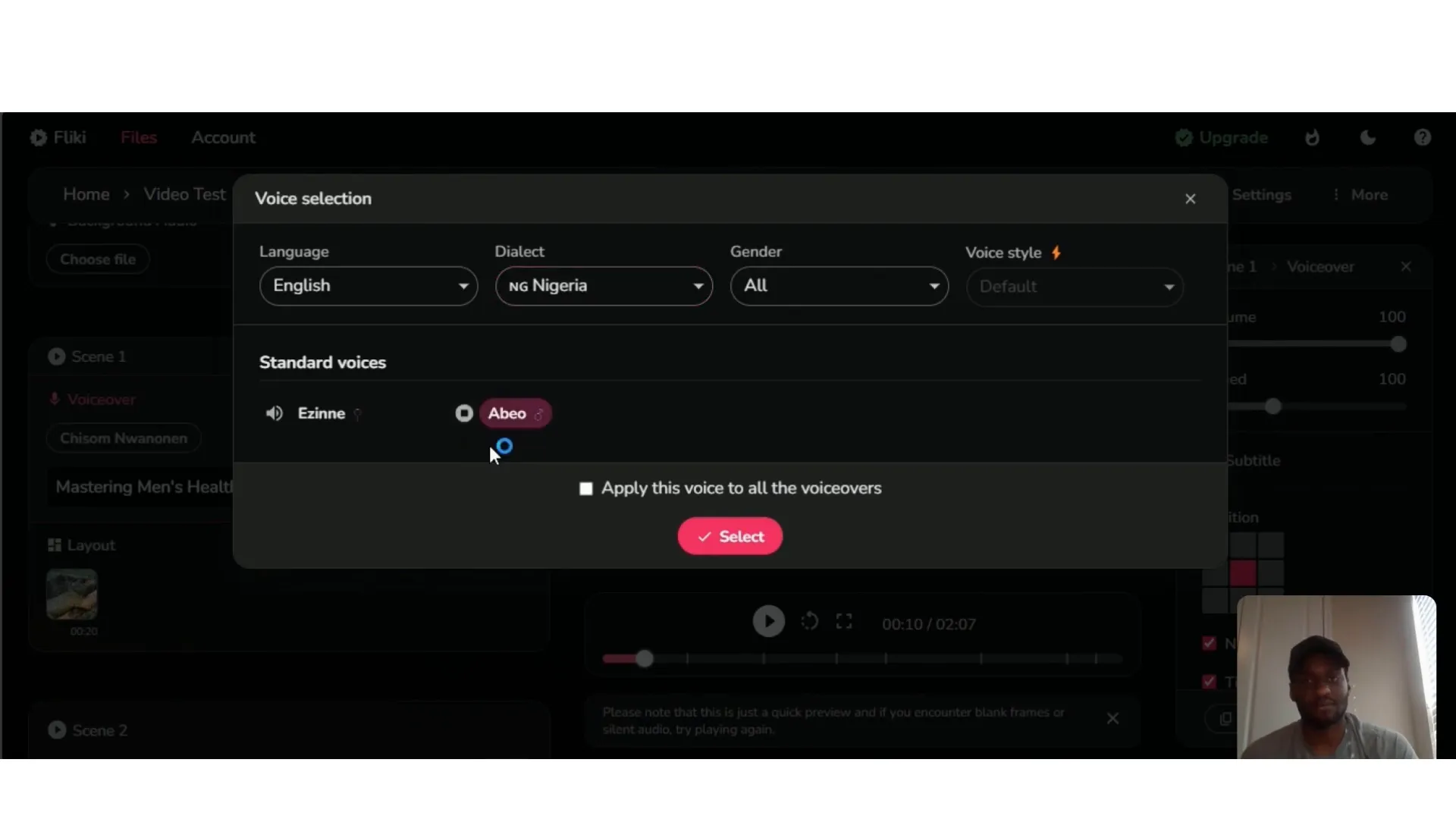
Fliki AI offers a wide range of AI voices. I chose “Abio,” a Nigerian-accented female voice, which sounded natural and engaging. You can apply the selected voice to all video segments instantly, saving time and ensuring consistency.
Step 5: Edit Visuals and Layout
One feature I appreciated was the ability to swap out any unwanted stock footage or images. For example, if a scene had a lizard I didn’t like, I could easily replace it with a different video, image, or even a GIF. There’s also an AI content generator that lets you create unique visuals in your preferred style.
Additionally, if images appeared distorted due to the layout settings, you can adjust the layout from “fit” to “contain” to preserve the integrity of the visuals without cropping or stretching.
Step 6: Add Background Audio and Subtitles
You can upload your own background music or choose from Fliki’s library. Subtitles are automatically generated, and you can toggle them on or off for all scenes with a single click, giving you full control over the video’s presentation.
Step 7: Preview and Export
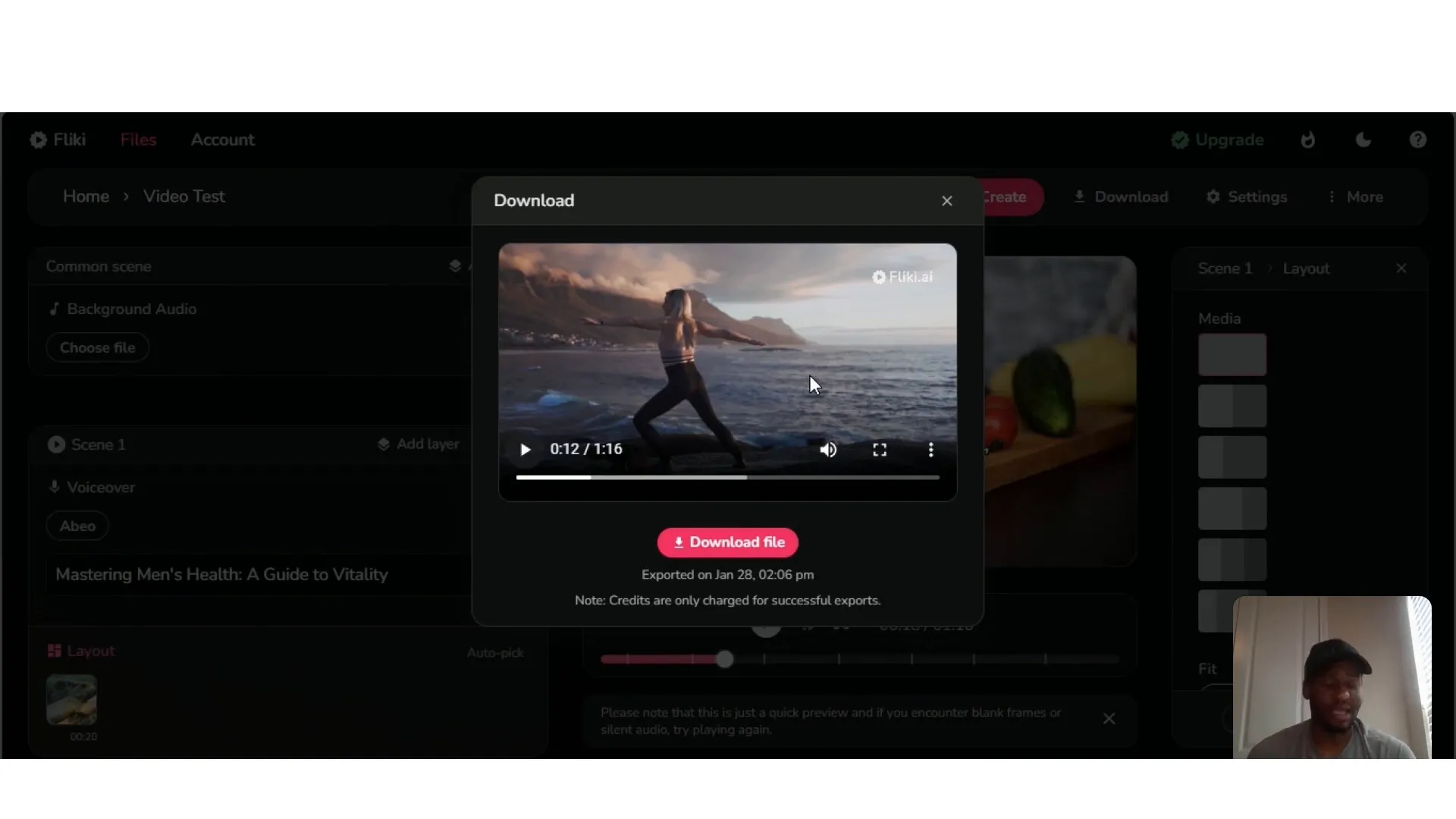
Previewing the video on the platform sometimes resulted in silent frames or missing audio, which can be a minor hiccup. However, downloading the video and viewing it offline solved this issue, delivering smooth playback with synchronized voiceover and visuals.
The export process is straightforward, and you can choose the resolution you want, up to 720p on the free plan.
Why Fliki AI Stands Out Compared to Other Tools
Having used similar AI video tools like Pictory, I can confidently say that Fliki AI offers a more streamlined and cost-effective approach. Here are some reasons why I prefer Fliki AI:
- Faster Video Creation: The tool processes text and generates videos rapidly, often in under a minute.
- More Affordable: The free plan provides sufficient features for beginners, and the paid plans offer excellent value for money.
- Wide Voice Selection: Over 300 voices with regional accents make videos sound authentic.
- Versatile Input Options: Text, blog URLs, tweets, PowerPoint files, and more can be converted into videos.
- Customization: Easy to swap visuals, adjust layouts, add music, and manage subtitles.
These features make Fliki AI an excellent choice for marketers, entrepreneurs, and creators who want to produce high-quality videos without the usual time and cost investments.
Use Cases: How You Can Leverage Fliki AI
Fliki AI is highly versatile and can be used across various industries and purposes:
1. Content Creators and YouTubers
Speed up your video production by turning blogs, scripts, or ideas into fully narrated videos ready for upload. Consistent posting can help grow and monetize your channel.
2. Marketers and Social Media Managers
Create engaging ads, product videos, or social media content quickly to keep your audience engaged and boost conversions.
3. E-commerce Sellers
Generate product demo videos to showcase your offerings and increase sales.
4. Educators and Trainers
Produce e-learning videos and tutorials by converting educational content into interactive videos.
5. Businesses and Corporations
Use Fliki AI for internal communications, presentations, and training videos.
Tips for Getting the Most Out of Fliki AI
- Choose the Right Voice: Select an AI voice that matches your brand’s tone or your own accent for authenticity.
- Adjust Image Layouts: Use the “contain” setting for images to avoid distortion and maintain visual quality.
- Preview Videos Offline: If the online preview has silent frames, download the video to check the full audio and visuals.
- Use Background Audio Wisely: Add music that complements your voiceover without overpowering it.
- Experiment with AI Generated Visuals: Use the AI content generator to create unique images and videos tailored to your script.
- Keep Videos Concise: Aim for short, engaging videos to maintain viewer attention, especially on social media platforms.
Frequently Asked Questions (FAQs)
Is Fliki AI free to use?
Yes, Fliki AI offers a free plan with 5 minutes of video creation credits per month, access to limited voices, and 720p exports with a watermark. Paid plans unlock more features and remove watermarks.
Can I use Fliki AI for YouTube videos?
Absolutely. Fliki AI supports landscape aspect ratios ideal for YouTube, and its AI voiceovers and video customization tools help you create professional-quality videos quickly.
Does Fliki AI support multiple languages?
Yes, Fliki AI supports over 75 languages and offers voices with various accents, making it suitable for creating localized content.
What is voice cloning in Fliki AI?
Voice cloning is a premium feature that allows you to create a digital clone of your voice or another voice, which you can then use for consistent voiceovers across videos.
Can I edit the text or visuals after the video is generated?
Yes, Fliki AI allows you to edit the text, swap out visuals, adjust layouts, and customize subtitles even after the initial video is generated.
How fast can Fliki AI create a video?
Videos can be created in under a minute, depending on the length and complexity of the content.
Final Thoughts
Fliki AI is a game-changer in the AI video creation space. It’s fast, affordable, and packed with features that empower creators to turn text-based content into engaging videos effortlessly. Whether you’re a YouTuber looking to produce videos quickly, a marketer seeking to create compelling ads, or an educator wanting to develop e-learning materials, Fliki AI offers the tools you need to succeed.
From my experience, the platform’s intuitive interface, vast voice options, and flexible customization make it an excellent investment for anyone serious about content creation. While minor issues like silent previews can occur, the overall experience is smooth and effective.
If you want to revolutionize your video creation process and save countless hours, I highly recommend giving Fliki AI a try. Check out the free plan to get started, and explore premium features as your needs grow.
Thank you for reading, and happy creating!