
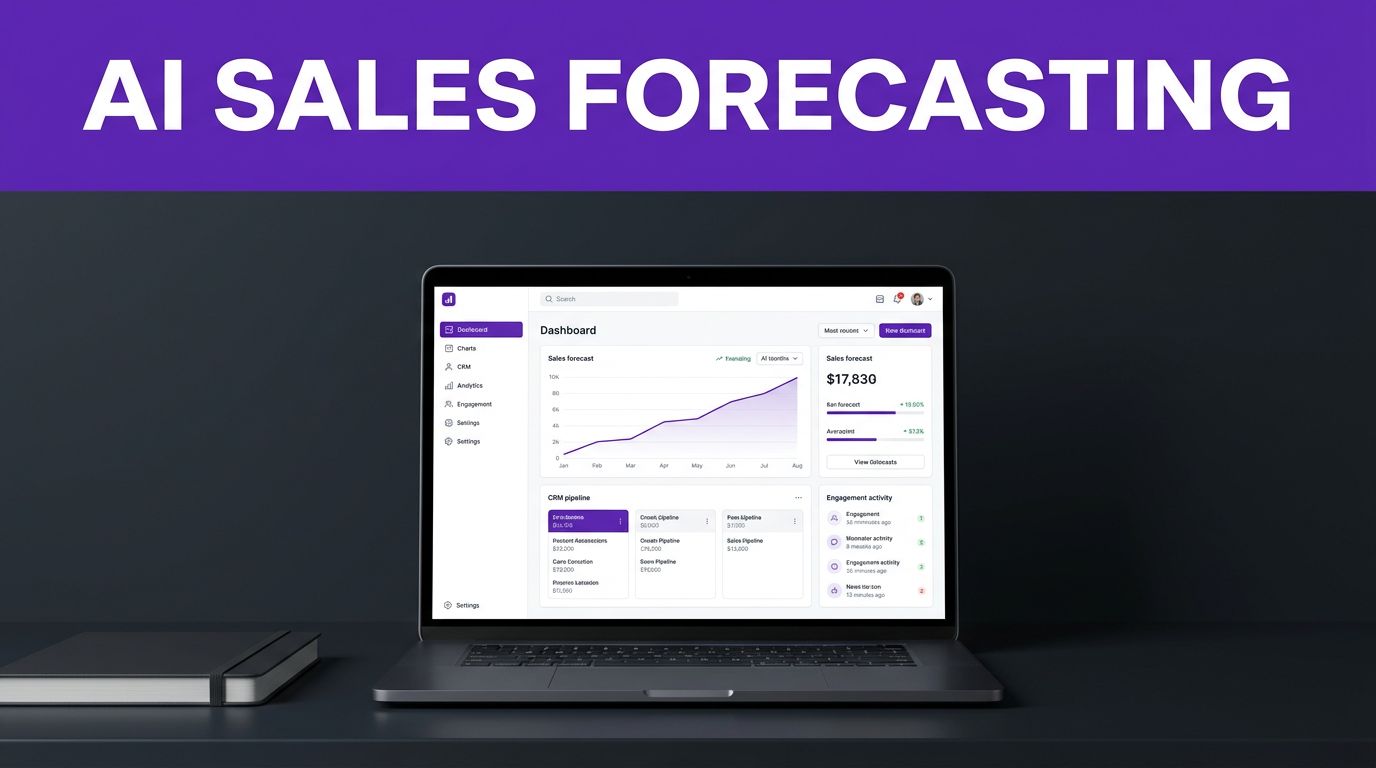


A sales forecast can look healthy on Monday and fall apart by Friday when several late-stage buyers stop replying. Small teams need a forecast that follows buyer engagement and recent activity, not last week’s optimistic close dates.
These tools turn CRM activity, deal history, and recent interactions into a clearer revenue view. They don’t create certainty, but they can expose weak deals before they surprise you.
Reliable sales forecasting starts with clean data and a CRM your team will use every day.
Key Takeaways
- AI sales forecasting tools use CRM data, buyer engagement, deal history, and activity patterns to produce a clearer view of expected revenue.
- Forecast quality depends on clean, current data, consistent pipeline stages, required fields, and accurate close dates.
- Small businesses should usually start with a CRM-based tool such as HubSpot, Zoho CRM, Pipedrive, or Salesmate before considering advanced revenue intelligence platforms.
- Treat AI predictions as decision support, not certainty. Compare forecasts with actual results, review risk alerts with sales reps, and run a small pilot before rolling out the system.
Why AI sales forecasting beats spreadsheet rollups
Spreadsheet forecasts often depend on sales reps’ judgment about close dates and probability. At scale, inconsistent assumptions make rollups unreliable, especially when activity changes quickly or the pipeline grows.
Forecasting powered by artificial intelligence looks for patterns across current and past opportunities. It can notice that a deal has stalled, a proposal is overdue, or a buyer has stopped engaging after a key meeting. These signals can improve the forecast without making it certain.

Pipeline stages do not show the full story
A deal marked “proposal sent” may look promising in a CRM pipeline. However, that stage alone doesn’t show whether the buyer opened the proposal, invited a decision-maker, or replied to the last message.
Machine learning models can compare a deal with similar past opportunities. They may weigh factors such as deal size, sales-cycle length, days since the last activity, stage changes, and past win patterns.
A prediction supports the manager’s call
AI should improve the sales conversation, not replace it. A rep may know a customer is waiting for budget approval, while the software only sees a long silence.
Use the forecast to ask sharper questions. If the model flags a high-value opportunity as risky, the manager can check the next step, buyer contact, and expected decision date before leaving it in the forecast.
A deal’s stated close date is an opinion until recent buyer activity supports it.
What an AI sales forecast actually reads
The best sales forecasting systems pull information from a CRM, the system for storing contacts, deals, emails, activities, and sales notes. They compare current records with completed outcomes using artificial intelligence.
The result depends on what your team records. Empty fields and stale close dates give any forecast weak material to work with.
Core CRM fields show the shape of each deal
Useful CRM data includes opportunity amount, product or service, pipeline stage, expected close date, deal owner, source, lost reason, and the date of the last meaningful activity.
Stage history matters too. A deal that moves from discovery to proposal in 10 days behaves differently from one that sits in discovery for two months. Machine learning can compare those patterns with activity gaps, similar opportunities, and historical win rates. These records feed predictive analytics, which turns them into risk and revenue signals. The team can use sales analytics to review the patterns behind the forecast.
Lead quality also affects the forecast before a rep opens an opportunity. Controlled AI-powered lead scoring workflows can help keep weak or duplicate leads from inflating the top of the pipeline.
Conversation intelligence can explain the risk
This capability analyzes sales calls, meetings, and emails for buyer concerns that simple pipeline boards miss, using natural language processing. A buyer may mention a competitor, a delayed budget, or a missing executive sponsor during a call. These details can signal weak buyer engagement and higher deal risk.
For example, Gong’s revenue intelligence software analyzes deal health and pipeline progression using actual customer conversations. This approach can identify risks that a rep forgot to add to the CRM.
Small businesses should confirm call-recording consent rules, storage policies, and integrations before adopting this category. Conversation data can help, but it also adds cost and administration.
Build clean data before asking AI to forecast
Useful sales forecasting starts with consistent opportunity records. Buying software won’t fix a CRM that treats every deal as “likely” until it disappears. Data hygiene comes first when stale close dates and empty fields weaken the CRM data used to find useful patterns.
Start with your active pipeline instead of importing every old spreadsheet. A clean, current view gives your team a workable foundation.
Standardize stages and required fields
Create clear definitions for every pipeline stage. “Qualified” should mean the same thing for every rep. “Proposal” should only apply after a real proposal goes to a buyer.
Require a few fields at each stage, such as amount, expected close month, next activity, primary contact, and loss reason. Avoid collecting dozens of fields nobody maintains.
Review stale opportunities weekly. Close lost deals when they are lost, then record why. Those loss reasons help you spot recurring problems with pricing, timing, fit, or competition.
Historical data improves predictions over time
A newer company can still use forecasting software, but it should treat early predictions as directional. A short sales history gives the model fewer completed deals to compare.
Salesforce’s own Einstein Forecasting setup considerations say Einstein Forecasting requires at least 12 months of Salesforce opportunity data in the documented setup. Check the current vendor documentation for product-specific requirements, since this timeframe isn’t universal.
HubSpot’s AI projection guidance says its projections use closed-won deals from the previous three months. If recent market trends, pricing, or your sales process changed during that period, review the result with care.
A concise comparison of sales forecasting options
The right platform depends on your CRM, sales-cycle length, budget, team size, and sales pipeline structure. Some tools forecast from CRM records, while others add conversation data or more advanced revenue operations controls.
| Tool | Forecasting focus | Best fit | Confirm before buying |
|---|---|---|---|
| HubSpot Sales Hub | Native forecasting and AI projections | Teams already using HubSpot | Forecasting tier and seat requirements |
| Zoho CRM with Zia | Sales forecasts, predictions, and anomaly signals | Budget-conscious CRM buyers | Zia limits by edition |
| Pipedrive | Visual pipeline, activity tracking, and reporting | Small teams with a simple sales process | Report and forecast features by plan |
| Salesmate | Revenue forecasts, AI follow-up, and multichannel communication | Teams handling many inbound leads | Automation limits and data sources |
| Dynamics 365 Sales | Sales forecasting and premium forecasting | Businesses using Microsoft tools | Premium feature requirements |
| Salesforce with Einstein | Predictive forecasting in Sales Cloud | Established Salesforce teams | Edition, add-on, and data prerequisites |
| Gong Forecast | Conversation-informed deal and forecast insights | Call-heavy, longer-cycle sales teams | Integration needs and total cost |
The first four options are usually easier for a small business to adopt. Salesforce, Dynamics, and Gong make more sense for mature CRM processes or complex sales motions.
Feature access can change by plan. Confirm the live pricing page, onboarding costs, user minimums, and required integrations before signing an annual contract.
Best tools for small-business sales forecasting
Small companies rarely need a heavy revenue operations platform on day one. A practical tool should support automated forecasting, make reps more consistent, and avoid a reporting project that consumes the week.
HubSpot Sales Hub for teams already in HubSpot
HubSpot is a strong fit when marketing and sales already share contacts, forms, email activity, and deal records. AI sales forecasting tools such as HubSpot can reduce manual reporting when the CRM is already central to the workflow. That shared history gives managers a more complete view of pipeline health.
HubSpot’s AI sales software also connects with more than 2,000 apps and web services. That can reduce manual updates when your business uses tools for calling, meetings, support, or marketing.
Check the exact plan before committing. Forecasting, AI functions, automation limits, and reporting controls may vary by tier.
Zoho CRM with Zia for value-focused teams
Zoho CRM keeps forecasting inside the CRM and adds Zia for revenue predictions, forecast-performance insights, anomaly detection, and deal recommendations.
It suits businesses that want an all-in-one CRM without moving to a larger enterprise platform. Still, test whether your preferred integrations and Zia features are included in the edition you plan to buy.
Pipedrive and Salesmate for practical pipeline control
Pipedrive works well for teams that want a visual, sales-first pipeline. Reps can see deal stages, upcoming activities, and follow-up work without hunting through complicated dashboards.
Salesmate adds more built-in communication and automation. It may fit teams that use email sequences, SMS, website chat, meeting scheduling, and AI-led follow-up alongside revenue forecasting.
The choice often comes down to workflow. This Pipedrive vs Salesmate CRM comparison can help you decide whether a focused pipeline or a broader communication system fits your sales process.
When larger platforms justify the investment
More advanced sales forecasting software can help when your team manages a large pipeline, several territories, or complex account relationships. However, extra capability also brings longer setup times and higher ownership demands.
Salesforce and Dynamics suit mature CRM teams
Salesforce Einstein Forecasting can be a strong option for teams with well-maintained Salesforce data and enough historical opportunities. It’s less appealing for a business still deciding what its pipeline stages mean.
Microsoft Dynamics 365 Sales is worth considering when Outlook, Teams, Microsoft 365, and related tools already sit at the center of your operations. Its premium forecasting features fit businesses that want sales data inside their wider Microsoft environment.
Both platforms need a clear owner for CRM rules, reporting, permissions, and data cleanup. Without that ownership, advanced forecasting becomes another neglected dashboard.
Gong, Clari, and Aviso fit complex revenue teams
Gong Forecast uses conversation intelligence to add call and conversation signals to CRM data. Its revenue forecasting platform is useful when sales outcomes depend on many meetings, multiple stakeholders, and long approval cycles.
Clari and Aviso also focus on forecast management for mature revenue operations teams. They can make sense after a business has dependable CRM data, a defined sales process, and enough forecast complexity to justify a specialist platform.
Request a tailored demo and a full cost estimate. These systems are often more appropriate for mid-market teams than a two-person sales operation.
Match the platform to your sales motion
Your sales process should drive the buying decision. The same tool will not suit a local service business, a B2B agency, and a software company with six-month contracts.
Choose simplicity for short sales cycles
A home services company, local agency, or small consulting firm may close deals in days or weeks. Pipedrive, Salesmate, Zoho CRM, or HubSpot can give these teams useful forecasts without adding a separate revenue intelligence layer.
Focus on deal velocity and buyer engagement. Recent meetings, proposal timing, and confirmed budget often matter more than sophisticated scoring.
Keep marketing and sales in one record
Businesses that generate leads through content, ads, webinars, newsletters, or website forms benefit when marketing activity reaches the sales forecast. HubSpot is often a natural option because both teams can work from the same contact timeline.
This matters when a lead becomes active after an email campaign or returns to a pricing page. That context supports sales planning by showing managers where follow-up deserves focus. They can see more than the rep’s latest note before deciding how much confidence to place in a deal.
Add conversation data for longer, higher-value deals
A B2B company selling annual contracts may need more context than deal stage and amount. Several calls can reveal whether the buyer has authority, urgency, budget, and internal support.
AI sales forecasting tools work best here when reps update the CRM and managers review flagged risk together. A weak buyer signal should lead to a specific action, not an automatic forecast reduction nobody understands.
Judge the forecast, not the demo
A polished dashboard can hide weak logic. Judge a sales forecasting tool by forecast accuracy and its effect on sales performance during a real sales month.
Compare predicted revenue with actual results
Track each month’s forecast against closed revenue. For recurring-revenue businesses, monitor customer churn alongside closed revenue. Use scenario modeling to keep committed, likely, upside, and downside views separate.
Look for recurring gaps. If forecasts are consistently too high, check whether reps overuse late-stage labels, leave dead deals open, or move close dates without buyer confirmation.
Use sales analytics to compare results by sales cycle, product line, lead source, and market trends. Check whether better forecasts improve resource allocation for staffing, inventory, or manager attention.
Test whether risk alerts lead to action
A risk alert has value when a rep can act on it. Even a machine learning signal needs an explanation and manager review.
For each flagged opportunity, ask whether the alert identified a stale next step, missing contact, weak engagement, or inaccurate close date.
Ignore alerts that offer no explanation. Your sales team needs enough context to decide whether to call, revise the forecast, seek help, or close the deal as lost.
Run a small pilot before rollout
Begin with one pipeline, a few active reps, and a limited group of reports. A four-week pilot usually exposes setup problems before they affect the whole business.
Use this pilot checklist
- Start with data hygiene by cleaning duplicate contacts, stale opportunities, and missing close dates before importing or connecting data.
- Write clear definitions for pipeline stages, probability categories, and when an opportunity should be marked closed lost.
- Connect only the tools that provide meaningful sales signals, such as email, calendar, calling, or forms.
- Compare the AI forecast with the manager’s forecast each week, then record the reasons for major differences.
- Ask sales reps whether the tool helps them prioritize work or simply creates another screen to check.
Roll out without disrupting selling time
Keep the existing sales workflow in place while the pilot runs. Protect active sales execution and don’t require reps to enter the same data in two systems for months.
Assign one accountable person to own data rules and feedback. That person should review field definitions, clean duplicates, and decide which alerts deserve attention.
A forecast becomes more useful when the team trusts the process behind it. Clear expectations matter more than adding every available AI feature.
Frequently Asked Questions
What is an AI sales forecasting tool?
An AI sales forecasting tool analyzes CRM records, deal activity, historical outcomes, and sometimes sales conversations to estimate future revenue. It can identify stalled opportunities and weak engagement, but it does not eliminate the need for manager review.
Which AI sales forecasting tool is best for a small business?
The best choice depends on your CRM, sales cycle, budget, and workflow. HubSpot, Zoho CRM, Pipedrive, and Salesmate are often practical starting points, while Salesforce, Dynamics, Gong, Clari, and Aviso are better suited to more mature or complex revenue teams.
How much CRM data does AI forecasting need?
AI forecasting works best with consistent opportunity records, stage history, activity dates, close dates, amounts, and completed deal outcomes. Newer businesses can still use these tools, but early predictions should be treated as directional because fewer historical deals are available for comparison.
Can AI replace a sales manager’s forecast?
No. AI can surface patterns and risk signals that a manager may miss, while the manager can add context the system cannot see, such as budget approval or an informal change in buyer priorities.
How should a small business test a forecasting tool?
Run a limited pilot with one pipeline, a few reps, and clean data for about four weeks. Compare the AI forecast with the manager’s forecast and actual results, then check whether alerts lead to useful sales actions.
Final Thoughts
The best sales forecasting process is not the one with the most impressive AI label. It is the one your team can explain, review, and improve with current sales data.
Start with a CRM that fits your sales process, keep deal records accurate, and test forecasts against real outcomes. Better data and consistent follow-up will improve revenue visibility more than an expensive dashboard alone.