
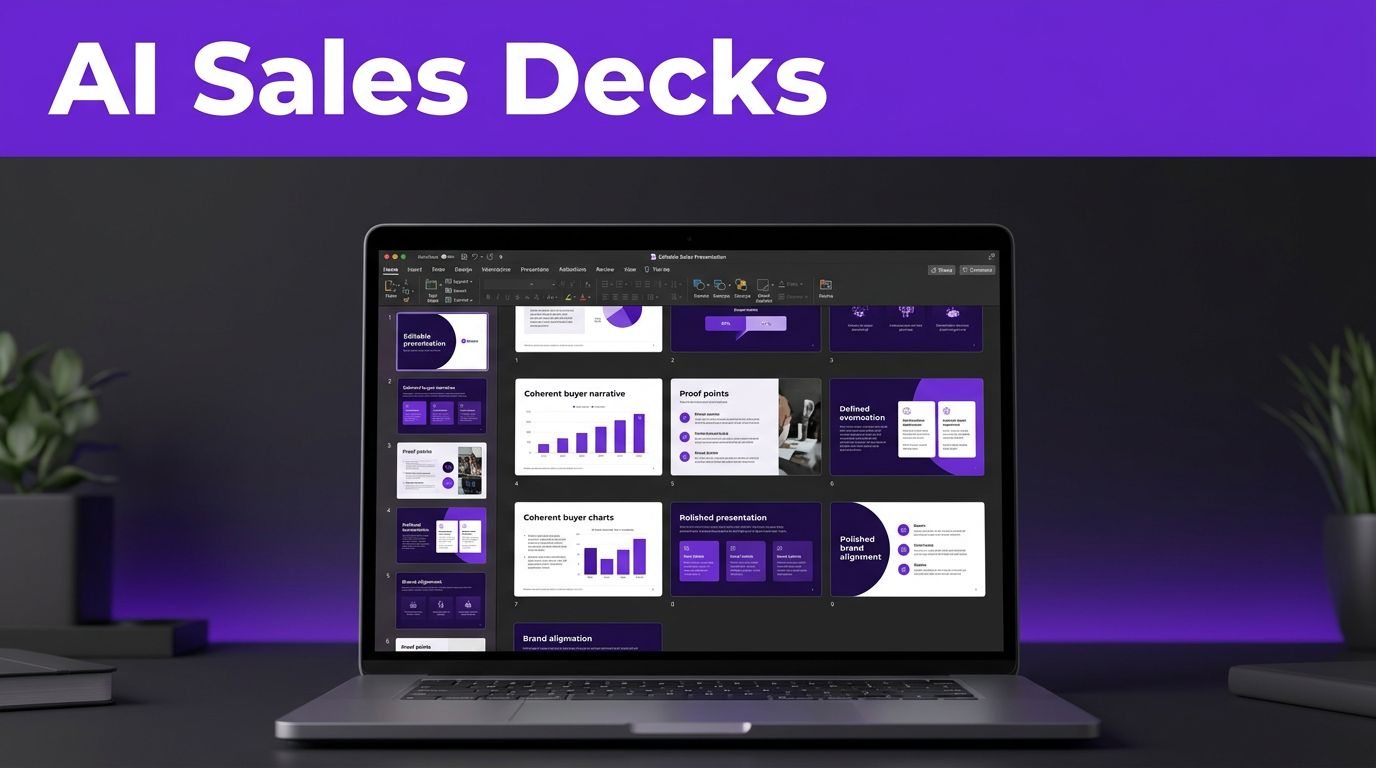


A sales deck loses momentum when a rep has to choose between updating the story and fixing a broken layout. The best AI presentation makers remove much of that production work, but the right tool still depends on where your team creates, presents, and shares decks.
For sales leaders, the goal is not more slides. It is a clear buyer narrative, credible proof, consistent branding, and an editable file that reps can use in live conversations.
Key Takeaways
- Prioritize a clear buyer narrative over a high slide count.
- Look for credible proof, strong brand alignment, and simple editing.
- Check how easily reps can update, present, and share each deck.
- Choose between full-deck generation and tools that enhance existing work.
The strongest options in 2026 fall into two groups: tools that generate complete decks and tools that improve them within common presentation apps.
Key Takeaways
- Choose an AI presentation maker based on your sales workflow, buyer narrative, brand requirements, and preferred editing environment.
- Full-deck generators such as Gamma and Beautiful.ai are useful for fast, polished drafts, while Plus AI and SlidesAI work well inside existing presentation tools.
- Test content accuracy, editability, export quality, brand consistency, and the time required to make a deck customer-ready before buying.
- Treat AI-generated claims, charts, research, and customer proof as drafts; validate them against approved sources and protect sensitive CRM data.
- Compare total cost, including subscriptions, usage credits, cleanup time, template administration, and team governance.
What Sales Teams Should Demand From an AI Deck Tool
Sales presentations have a harder job than internal project updates. They must show buyers that you understand their problem, explain why your offer fits, and earn a next step.
That means AI deck tools need more than attractive automated layouts. A useful tool should turn approved source material into a logical sequence, preserve message hierarchy, and leave reps room to personalize the message for each account.

Use these standards before you commit to a platform:
- Start with approved sales slide decks, proposals, or product overviews instead of a vague prompt. This reveals whether the tool preserves your buyer narrative and message hierarchy.
- Check whether a rep can use the user interface to edit headlines, reorder sections, replace images, and change a chart without damaging the layout.
- Test exported PowerPoint presentations and Google Slides files on the same device reps use for customer calls.
- Look for presentation templates, locked fonts, color controls, approved image libraries, and brand controls; together, they support design consistency and real-time collaboration.
- Treat AI-generated figures, claims, competitor statements, and customer proof as drafts until a sales enablement owner validates them.
A beautiful presentation that needs an hour of cleanup is a design demo, not a sales productivity tool. An effective platform helps reps produce professional presentations quickly, with an editable first draft and control over the customer-ready final version.
The Best AI Presentation Makers for Sales Decks
Each platform has a different strength. Buyers may need a pitch deck generator, an enhancer inside presentation software, document conversion, or text-to-slide conversion. Some create a fresh narrative from a prompt or document, while others work inside the tools your team already uses.
| Tool | Best fit for sales teams | Main limitation |
|---|---|---|
| Gamma | Fast, polished prospecting decks and web-based presentations | PowerPoint exports may need cleanup for buyer follow-up |
| Beautiful.ai | Brand-consistent decks for governed account personalization | Less freedom for unusual strategic-account proposals |
| Plus AI | Teams adapting approved content in Google Slides or Microsoft PowerPoint | Design options depend on the host application |
| Canva | Marketing-led decks built from campaign and product assets | More manual judgment is needed for sales storytelling |
| SlidesAI | Quick outlines and budget-friendly internal drafts in Google Slides | Less refined visual direction than premium tools |
| Presentations.AI or GenPPT | Research-led prospecting drafts and visual concepts | Source claims still need human verification |
| Prezi | Nonlinear presentations for live discovery and executive meetings | Its motion-led format does not suit every buyer |
A broader 2026 comparison of AI presentation tools also shows why format matters as much as generation speed. A tool that looks impressive in a browser can be a poor fit if buyers expect PowerPoint attachments after the meeting.
Gamma and Beautiful.ai for complete, polished decks
Gamma is a strong AI slide generator for fast drafting. It turns an idea, outline, document, or prompt into a presentable deck quickly. Its card-based visual workspace feels more like a well-designed web page than a traditional slide file. That works well for early-stage prospecting, product narratives, and shareable recaps. Gamma’s free tier also makes it easy to test the workflow before wider adoption.
However, Gamma’s web-first experience can create friction for teams that live in PowerPoint. Test its export formats, including PDF and PowerPoint, before standardizing on it. Small layout changes are manageable, but an executive-facing deck with strict formatting may still need manual review.
Beautiful.ai is better suited to teams that want structure. Its Smart Slides automatically adjust elements as users add or remove content. That makes it easier for account executives to personalize approved material while preserving presentation templates and design consistency.
Beautiful.ai also makes more sense when sales enablement owns the visual system. Its guided layouts keep reps close to approved patterns. That guardrail can feel restrictive for a highly customized strategic-account proposal. A business presentation maker comparison is useful when weighing those design controls against flexibility.
For starting points that require topic research, Presentations.AI and GenPPT deserve a trial. Both focus on visual slide decks and structured source gathering, rather than a plain text-to-slide workflow. Their topic research still produces drafts, not sales-ready evidence. Reps should verify every statistic, source, product detail, and customer claim against approved material.
Plus AI, Canva, SlidesAI, and Prezi for existing workflows
Plus AI is the best fit when your team already works in Google Slides or Microsoft PowerPoint. Instead of moving to a separate design platform, users can create, rewrite, summarize, and format slides inside familiar software. That reduces training time and keeps comments, speaker notes, and shared folders in the places your team already uses.
This approach is especially useful for sales organizations with established templates. An enablement manager can protect the core structure. Reps can then use AI to adapt a section for a vertical, persona, or meeting outcome.
Canva can generate presentation drafts with Magic Design, but its real strength is custom visual design. Teams with strong brand assets, product screenshots, campaign graphics, and social content can build more distinctive decks there. That makes it useful for content marketing teams with established assets. Paid plans may be needed for advanced brand controls, premium features, and higher AI usage limits.
SlidesAI is a practical budget option for turning an outline or source text into Google Slides. It is useful for internal practice decks, workshop materials, and early drafts. Its visual output is usually less considered than Gamma or Beautiful.ai, so it benefits from a final design pass.
Prezi remains different from a standard presentation. Its zooming canvas helps presenters move between an overview and supporting detail during live meetings. Yet it can distract from a complex commercial message if movement becomes the focus. Use it when the presentation style supports the conversation, not because the transitions look novel.
For related design and writing options, explore these AI tools for content creators. They can support a larger sales-content workflow alongside other content creation tools.
Full-Deck Generators vs. Presentation Enhancers
A full-deck tool such as Gamma, Beautiful.ai, Presentations.AI, or GenPPT can function as a pitch deck generator. These tools begin with a prompt, outline, PDF, Word document, or pasted source text. They propose the story arc, set the visual hierarchy, and create visual slide decks in one pass, producing a usable first draft.
That helps founders build investor-style overviews, sales leaders create vertical pitches, and enablement teams draft product launch decks. The sales team still owns the emphasis and proof. The tool can’t know which objection matters most to a particular account unless you provide that context.
Presentation enhancers such as Plus AI and SlidesAI work within an existing editing environment, including Google Slides. They can draft a page, reformat dense content, summarize a document, or add a slide without changing platforms. This is often safer for mature sales organizations with approved templates and strict approval processes.
Document conversion can save time when importing PDF and Word files, but source quality decides the outcome. For pasted source text, text-to-slide conversion also depends on clear inputs. Clean the document first by removing outdated claims, duplicate pages, internal notes, and irrelevant appendices. Then tell the AI who the buyer is, what action the deck should drive, and which proof points must appear.
A 20-page document should not become a 20-slide presentation by default. For data-heavy presentations, ask the AI to distill the strongest points into a concise narrative. Leave deeper detail for an appendix or follow-up document.
What AI Deck Tools Cost in 2026
Pricing plans can look simple until a team starts using them. Annual billing often produces the headline price, while a monthly subscription costs more. Credits, export formats, export cleanup, permissions, and workspace administration can also change the real cost.
| Platform | Individual starting point | Team buying consideration |
|---|---|---|
| Gamma | Free tier, Plus about $9 to $12 per month annually | Team plans begin around $20 per seat monthly |
| Beautiful.ai | Pro at $12 per user monthly, billed annually | Teams plan at $40 per user monthly, billed annually |
| Plus AI | Basic at $10 per user monthly, billed annually | Higher tiers commonly range from $20 to $30 per user |
| SlidesAI | Paid Pro plans are often below $10 monthly | Check AI quotas and Google Workspace needs |
| Prezi | Free plan available, Standard around $7 monthly annually | Confirm sharing and privacy controls for teams |
Gamma’s pricing revolves around credits and cards per prompt, not only slide count. Its official plan structure separates free access from paid tiers that add higher limits and premium features, including advanced image options, custom fonts, analytics, and team administration.
Beautiful.ai’s Pro plan is priced at $12 per user per month when billed annually, while its Teams plan sits at $40 per user per month on annual billing. Plus AI Basic is commonly priced at $10 per user per month annually, with higher plans for heavier use.
Recent tested pricing comparisons also place SlidesAI Pro below $10 per month and describe Gamma’s no-cost access as a limited-credit starting point. Treat a free tier as an evaluation environment. It may add platform branding, restrict exports, limit generations, or cap the number of editable decks.
Your total cost is more than the subscription. Include these items in the buying decision:
- The time reps spend correcting generated slides or rebuilding exports.
- The cost of a brand owner or enablement manager maintaining approved templates.
- The seats required for occasional contributors, managers, and outside agencies.
- The credits needed for image generation, research, document imports, or repeat revisions.
Small teams can test no-cost plans before buying. For writing, outlining, and support work around the deck, these Free AI Tools can help reduce the amount of blank-page work before you generate slides.
Run a Short Test Before You Buy for the Whole Team
A vendor demo rarely shows the problems that appear in a real sales workflow. Run the same controlled test in every tool under consideration.
Start with an approved source package: a recent sales deck, a product brief, a customer case study, and a spreadsheet with current metrics. Ask each platform to create an eight-slide deck for the same buyer persona and meeting stage.
Record the time to the first usable draft. Then record the time needed to make it customer-ready. Those are different measurements. A tool may generate a draft in under a minute but still require extensive rewriting, image replacement, and alignment repair.
Next, test four practical actions:
- Change the buyer industry and see whether the deck adjusts without losing the core value proposition.
- Replace one chart with approved data and inspect whether labels, numbers, and proportions remain correct.
- Test the export formats reps actually send to customers, including PowerPoint presentations and Google Slides.
- Have a rep who did not create the deck edit it and present it in a test call.
Score every platform for content accuracy, design consistency, editability, export quality, and time saved. Give extra weight to revenue-facing criteria, including whether the output can become professional presentations without extensive rewriting or repair.
A generated chart can look credible while using incorrect values or labels. Build customer-facing charts from approved spreadsheet data, then check the final slide against the source.
AI can create timelines, charts, graphs, process diagrams, and comparison pages. This matters especially in data-heavy presentations, where errors can undermine trust. Yet it should not invent the data behind them. Give the tool a clean table of approved inputs, then check the visual against the original report before it reaches a buyer.
CRM Data, Live Updates, and Security Checks
Most tools create a snapshot, not a live CRM-connected presentation, so a pasted pipeline summary reflects that moment. It won’t update when opportunity stages, forecast values, or account contacts change. AI can support workflow automation around governed summaries and refreshes, but it shouldn’t rewrite CRM truth or expose private deal information.
For account reviews and quarterly business reviews, keep live figures in a controlled spreadsheet or reporting system. Apply the same rule to pipeline summaries and other data-heavy presentations, treating that system as the source of truth. Link charts in PowerPoint or Google Slides when possible, then use AI to refine the narrative while keeping numbers governed.
Sales teams should decide what data never belongs in a prompt, whether during testing or production use. Reps should never upload raw CRM exports containing personal contact data, private deal notes, pricing exceptions, legal terms, or customer security details. Use approved summaries and anonymized examples instead.
Before a team-wide purchase, ask each vendor about data retention, model training policies, and data-processing agreements. Ask how user permissions, audit logs, single sign-on, workspace-level controls, and enterprise security work. Check which protections apply to your plan, since some require a business or enterprise plan.
Sales enablement should own the approved prompt library as well. A strong prompt states the audience, deal stage, desired outcome, required slides, approved proof, prohibited claims, and brand rules. That gives reps a usable starting point without turning every deck into an unpredictable experiment.
Frequently Asked Questions
Which tool is best for research-backed custom sales decks?
Presentations.AI and GenPPT are worth testing for topic research and custom visual design in research-led sales decks. Gamma can also create fast narrative drafts. In every case, validate sources before presenting market data, industry claims, or customer proof.
Can AI turn Word files and PDFs into presentations?
Yes. Most full-deck generators support document conversion from uploaded Word files, PDFs, or pasted text. Results improve when the source is current, focused, and organized around one buyer problem. Clean the document before uploading it, then edit the generated narrative for the sales conversation.
Which tools work inside Google Slides or PowerPoint?
Plus AI is built for teams that want AI assistance within Google Slides and Microsoft PowerPoint. SlidesAI is also useful for Google Slides users. These tools are often easier to adopt when your team already has presentation templates, shared drives, comments, and review processes in place.
Are any of these tools completely free?
Some offer no-cost plans or limited free access, but they usually include generation limits, platform branding, fewer exports, or restricted editing. Gamma and Prezi offer free access, while Canva and SlidesAI also provide limited no-cost options. A free plan is enough to test quality, but high-volume sales teams usually need a paid plan.
Can AI create charts and timelines automatically?
Yes, AI tools can generate the visual structure for charts, process flows, comparison tables, and timelines. The safer workflow is to provide approved data, inspect every figure, and rebuild complex charts with linked spreadsheet data when numbers change often.
Choose the Tool That Fits the Sales Motion
The right tools let your team spend more time refining the buyer message and less time pushing boxes around slides. Gamma is a strong choice for fast, web-first drafts. Beautiful.ai suits teams that need tighter layout control, while Plus AI fits organizations committed to PowerPoint or Google Slides.
Start with one real sales use case, test exports, and measure post-generation editing time. Choose the platform that produces accurate, on-brand work your reps will confidently use in customer conversations.