
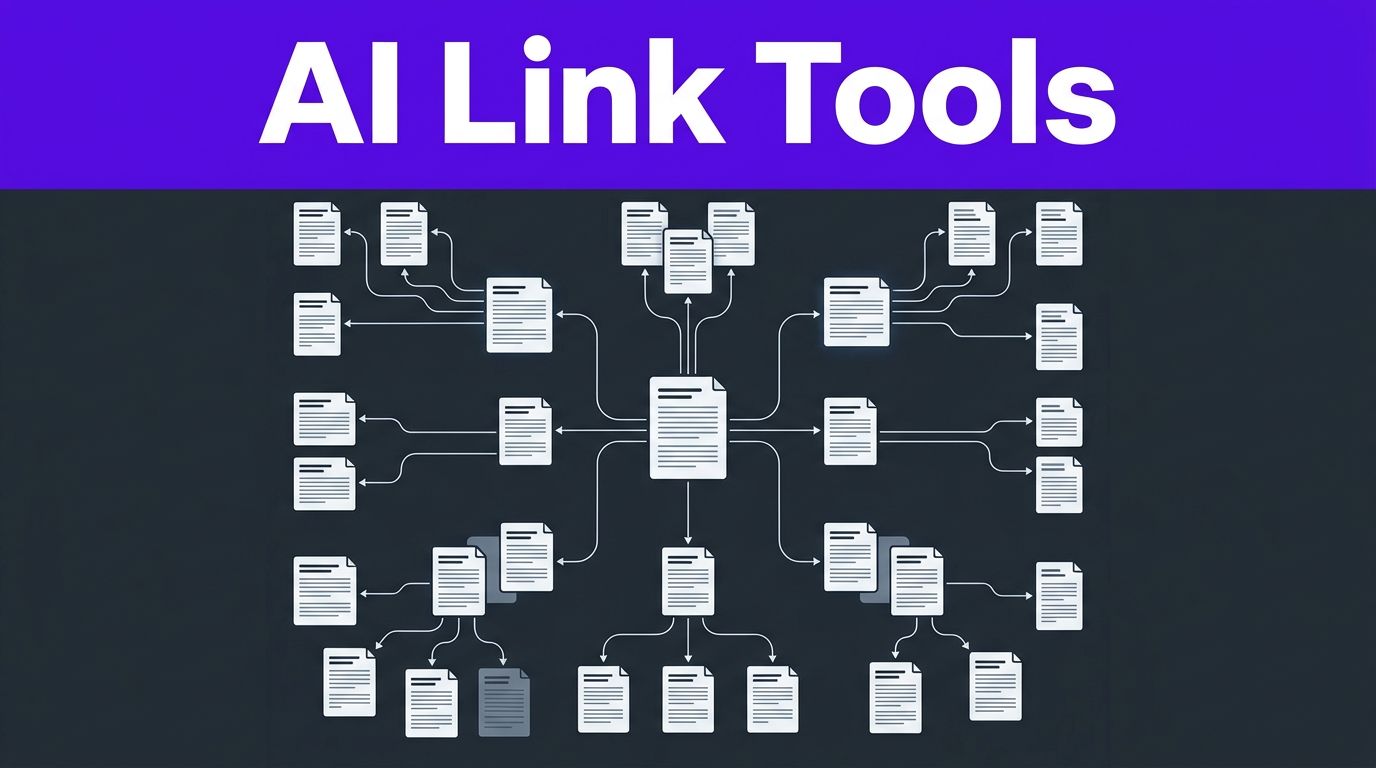


Every article can be a useful doorway or a dead end. The best AI internal linking tools turn a growing WordPress archive into a connected topic library, but only when you keep editorial control.
The right WordPress plugins can surface link opportunities in minutes. They can also add weak anchors, connect unrelated pages, or create links that vanish when a subscription ends. The right internal linking strategy depends on your site size, publishing volume, and tolerance for automation.
Use AI to support search engine optimization, while a person approves each path for relevance, anchor wording, and permanence.
Key Takeaways
- AI internal linking tools can surface relevant outbound and inbound link opportunities, identify orphan pages, and strengthen topic clusters, but editors should approve every suggestion.
- Link Whisper is a strong default for mature WordPress sites, while Linkilo suits publishers focused on keyword cannibalization and AIOSEO fits sites already using its broader SEO suite.
- Automation requires careful testing because keyword rules can create weak anchors, unrelated links, over-optimized phrasing, and performance issues on large sites.
- Confirm whether links are stored in WordPress post content or added at render time, since generated links may disappear when a plugin or subscription is removed.
- Roll out changes on staging, track anchors and URLs, and measure crawlability, engagement, and support for priority pages rather than link volume alone.
How AI-Powered Internal Linking Software Works
AI-driven link software scans titles, body copy, categories, keywords, and sometimes performance data. It then recommends a source page, target page, and anchor phrase to create useful internal link suggestions. Better tools look beyond exact keyword matches by using natural language processing or embeddings to judge topical similarity.
A good internal link gives a reader a logical next step. It also helps search engines discover important pages, understand topic relationships, and distribute link juice. Yoast’s internal linking guidance makes the same practical point: anchors should describe the destination rather than repeat vague phrases such as “read more.”
Link suggestions and automated link insertion are not the same
These features often appear together on product pages, yet they carry different risks.
Outbound link suggestions start with the article you’re editing. The tool identifies older pages you could link to from that new post. For example, a new guide to WordPress image SEO might receive suggestions for an existing page speed checklist and a guide to alt text.
Inbound internal links work in reverse. You choose an important target page, and the software finds older posts where a contextual link to it would fit. This is useful when you publish a new pillar page that needs authority and traffic from established articles.
Render-time automation creates links without reviewing each individual suggestion. It may operate through keyword rules, a database mapping, a WordPress content filter, or JavaScript injection. If it works at render time, the link may not be stored in the post content. Automation saves time on large archives, but it needs firm guardrails.
For most sites, suggestion-first workflows produce better pages. The AI handles discovery, while an editor reviews outbound link suggestions and decides whether each link answers a real reader need.
Why semantic matching and Google Search Console data matter
Keyword-based linking can produce awkward results. A word such as “audit” can relate to technical SEO, accounting, cybersecurity, or accessibility. Embeddings and natural language processing give a tool more context, so it can assess contextual relevance rather than merely matching a word.
Google Search Console data improves this process when a tool can import or work alongside it. Search queries reveal which pages already attract impressions for related terms. You can then add relevant links from successful pages to important pages that need more discovery or stronger topical context.
This data also exposes cannibalization risks. If two URLs earn impressions for the same narrow query, blindly linking both with the same exact-match anchor can blur their roles. One page may need a clearer search intent, consolidation, or an internal link that defines the relationship between the two.
Best AI Internal Linking Tools for WordPress in 2026
No plugin wins for every WordPress site. Different WordPress plugins serve different workflows, whether you run an 80-post blog, 20 client sites, or thousands of product pages.
This snapshot compares the strongest options for common WordPress workflows, including internal link suggestions, reports, and automation. Prices are annual starting points or commonly listed ranges checked in August 2026, so confirm the current plan and feature limits before buying.
| Tool | Best fit | Core strength | Pricing snapshot |
|---|---|---|---|
| Link Whisper | Growing blogs and agencies | Suggestions, reports, orphan-page detection, bulk actions | Starts at $97 per year for one site |
| Linkilo | Teams worried about overlap | Link suggestions plus keyword cannibalization reports | Often listed between $77 and $149 per year |
| Linksy | Budget-focused publishers willing to test automation | AI-assisted suggestions, replacements, and auto-link rules | Around $59 per year for one site |
| All in One SEO | Sites already using AIOSEO | Internal Link Assistant inside a full SEO suite | Around $174.65 per year in major roundups |
| Internal Link Juicer | Basic keyword rule automation | Phrase-based automatic internal links | Free version, Pro plans start around $69.99 per year |
The table gives a quick shortlist. Your publishing process should make the final call.
Link Whisper for mature editorial sites
Link Whisper is the safest default for WordPress publishers who want detailed reports and controlled suggestions. With a long track record, it reports on orphan pages, monitors broken links, and offers suggestions while you write. Its bulk actions support controlled bulk internal linking, not unrestricted sitewide automation. Because its outbound link suggestions begin with the article being edited, editors can review internal link suggestions for contextual relevance before approving a link.
Its annual plans start at $97 for one site, then rise to $197 for three sites, $297 for 10 sites, and $497 for 50 sites. That structure makes sense for agencies and content teams that need multi-site coverage.
The important detail is workflow control. Link Whisper can speed up link discovery, but its suggestions still need review. A test of more than 100 suggestions may contain useful ideas and weak matches in the same batch. Treat it as a research assistant, not an autopilot, and check whether links support pillar pages and related content. Well-supported content builds topical authority and passes link juice to relevant destinations.
Linkilo for cannibalization checks
Linkilo is a strong option for site owners who want link suggestions plus help spotting pages that target overlapping keywords. Linkilo’s cannibalization report is useful when a site has published similar posts over several years.
That report does not make the editorial choice for you. Two pages may share terms while serving different intents. One could be a beginner guide, while the other is a product comparison. Before changing internal links, decide whether the pages should coexist, merge, or focus on separate queries.
Linkilo’s listed single-site pricing varies across current comparisons. Check the checkout page and renewal terms, especially if your buying decision depends on the lower quoted rate.
Linksy for aggressive automation, with limits
Linksy appeals to publishers who want lower entry pricing and more automatic actions. Linksy offers AI-assisted link opportunities, URL replacement features, reports, and automation rules.
However, full automation creates more quality-control work after the fact. On a large WordPress database, scan volume, AI credits, and plugin load can become part of the real cost. Start with a small category or a staging copy before you authorize wide site changes.
Credit-based systems deserve close attention. With Linksy, calculate the price of every content scan, rewrite, and link action you expect to run each month. A low annual license can become less attractive if credits expire or require frequent top-ups.
AIOSEO and Internal Link Juicer for narrower needs
All in One SEO is a practical pick when it is already your main SEO plugin. Its Internal Link Assistant keeps recommendations inside a broader suite that also handles titles, sitemaps, schema, and other WordPress SEO tasks. Its recommendations can support organized topic clusters. Its internal linking best practices also offer useful rules for building topic hubs without creating clutter.
Internal Link Juicer suits a different job. It focuses on automated internal linking through keyword-based linking rather than semantic AI suggestions. That can work well for a tightly controlled glossary, knowledge base, or local service site with consistent terminology.
Still, keyword rules need exclusions. Add protected phrases, cap links per post, and review every target URL. A rule that converts the same phrase in every paragraph will make pages hard to read.
The Technical Risk: Will Links Survive Uninstalling the Plugin?
The answer depends on where the tool stores the links.
When a plugin writes a normal anchor tag directly into WordPress post content, the link usually remains after you deactivate or delete the plugin. It becomes part of the page content stored in your database, making the intended link juice more dependable after removal.
Others rely on automated link insertion at render time. They may store link rules in plugin tables and add links only when WordPress renders the page. Some inject links with JavaScript after the page loads. If you remove the plugin, cancel the plan, delete the rules, or lose access to the script, those generated links can disappear.
If a tool creates links only at render time, your internal link structure depends on that tool remaining active. Exporting a list of inserted links is not the same as storing those links in post content.
Before a large rollout, test one page and inspect three things:
- View the raw page source and confirm the anchor exists in the HTML.
- Check the rendered page in a browser, because JavaScript can alter what visitors see.
- Deactivate the plugin on a staging site and compare the before-and-after HTML.
Apply the same source-versus-render check to a SaaS option such as LinkBoss before a broad rollout.
Google’s crawlable links documentation recommends standard, descriptive links that Google can crawl. A link that appears only after a complex script executes may create uncertainty for crawlers, users, and future migrations.
Automation can also create an over-optimized anchor profile. Use anchor text analysis to find repetitive commercial phrasing, since keyword-based linking may overuse one phrase when rules apply globally. Google doesn’t need every internal link to use the same commercial keyword. Vary the phrasing naturally, link only where the destination adds context, and avoid turning every mention of a topic into a link.
Performance matters too. A full-site scan can strain shared hosting, especially on sites with thousands of posts, WooCommerce products, revisions, and page-builder content. Large scans can also expose or create broken links that need review. Run large jobs during low-traffic periods and back up the database first.
Match the Tool to Your Site Size and Workflow
Small blogs usually benefit more from thoughtful suggestions than broad automated internal linking. If you publish once or twice a week and have fewer than 200 posts, Link Whisper or AIOSEO can surface opportunities without forcing a heavy maintenance process. Review each suggestion while updating or publishing an article.
For a content site with several hundred posts, choose a tool with deeper reporting. Review outbound link suggestions against priority pages and editorial rules. Prioritize orphan pages, pages with few inbound links, and high-value guides to strengthen topical authority. A cannibalization report can also flag older articles covering the same topic.
Agencies need repeatable review rules. Create a short internal linking policy for every client, covering anchor styles, priority pages, no-link pages, excluded product terms, and maximum automated links per article. That policy turns AI output into a consistent editorial process.
Ecommerce sites need extra caution. Product URLs change and items go out of stock. Category pages often carry more commercial value than individual posts. Prioritize them when product changes may interrupt the intended flow of link juice, then manually review links near conversion pages.
For Webflow, Shopify, Ghost, and custom platforms, choose a CMS-agnostic SaaS tool rather than WordPress plugins. LinkStorm, LinkBoss, InLinks, and SEOJuice are common options. LinkBoss can fit a non-WordPress workflow when its editing and reporting tools match your site’s platform. Before paying, ask four direct questions: Does it write links into source content, use JavaScript injection, support your content management system, and will LinkBoss preserve those links if the subscription stops?
WordPress users should also treat internal linking as one part of a larger SEO system. These AI SEO tools for blogging can help with research, content gaps, and optimization before you decide which pages deserve new links.
A Controlled Rollout Beats a One-Click Sitewide Update
A careful rollout prevents common automation mistakes and gives you clean evidence of what changed.
- Back up your database, use a staging copy, and crawl the site first. Record existing orphan pages, broken links, redirect chains, and inbound-link counts. A WordPress internal linking overview can help newer site owners understand the baseline checks.
- Choose one defined set of topic clusters for the first test. Start with related articles, such as WordPress speed, AI writing, or email marketing. Avoid running the first test across every category.
- Set editorial rules before generating suggestions. Decide how many links a post can gain, which money pages deserve priority, and which anchors are off-limits. A rule set prevents the AI from repeating one target across the site.
- Review outbound link suggestions for destination relevance, not just plausible wording. Open the target URL and confirm it answers the reader’s likely next question.
- Approve internal link suggestions in batches of 10 to 20 pages, preferably on staging. Inspect each page on desktop and mobile. Visually check any automated link insertion for broken formatting, duplicate links, and anchors inside headings, menus, or existing anchors.
- Track results before expanding. Log the URLs changed, anchor text used, and publication date, along with any Linksy scan, credit, or automation changes. If the rollout includes LinkBoss, record its changes and persistence behavior too. Without a change log, you cannot tell whether performance changes came from internal linking, new content, seasonality, or another SEO update.
AI can sort opportunities faster than a manual spreadsheet. It should not own verification. The final review protects your brand voice, page intent, and reader experience.
If you are refreshing thin support content before building links, Free AI Tools can help you outline, edit, and rewrite from source-checked notes. Keep the research and approval stages separate from the draft-generation stage.
Measure Link Quality, Not Just Link Volume
A sound internal linking strategy should be measured by discovery, engagement, and support for priority pages, not raw link volume. More internal links do not automatically improve SEO performance, so check whether relevant links distribute link juice to useful destinations.
Start with crawl data and your WordPress reports. Track orphan pages, pages with few inbound internal links, 404 errors, redirected internal URLs, and important pages that receive little contextual support. Then compare Google Search Console impressions, clicks, average position, and indexed-page coverage over time.
Use a 60 to 90-day observation window for most content sites. Evaluate the results as part of broader search engine optimization performance. Search performance rarely changes in a clean straight line, so compare similar periods and note every major site change.
A useful monthly internal link audit includes:
- Priority URLs that gained relevant internal links.
- Anchor text analysis for repetitive, vague, or overly commercial anchors.
- Outbound link suggestions checked for relevance and destination quality.
- Source pages that send readers toward deeper guides.
- Links pointing to redirected, noindexed, or removed pages.
- Pages whose place within topic clusters remains unclear.
Siteimprove’s internal linking audit framework is a useful reminder that a strong link structure should support both crawl paths and reader journeys. A page with a strong position in a hub often performs better than an isolated page with dozens of random links.
Frequently Asked Questions
What is the best AI internal linking tool for WordPress?
Link Whisper is a strong default for growing blogs, agencies, and mature editorial sites because it combines link suggestions with reports and orphan-page detection. AIOSEO is also practical when you already use its broader WordPress SEO suite.
Should AI internal linking suggestions be approved manually?
Yes, editors should review each suggestion for destination relevance, anchor wording, page intent, and reader value. AI can speed up discovery, but manual approval helps prevent unrelated links, repetitive anchors, and cluttered pages.
Do internal links remain after uninstalling a plugin?
It depends on how the tool creates them. Links written directly into WordPress post content usually remain, while links added at render time through plugin rules or JavaScript may disappear after deactivation or subscription cancellation.
How should I test automated internal linking?
Back up the database, use a staging site, and begin with a small group of related topic clusters. Inspect the raw HTML and rendered pages, check for broken or duplicate links, and record every URL and anchor changed before expanding the rollout.
How do I measure whether internal linking is working?
Track orphan pages, inbound-link counts, crawl errors, redirected URLs, and links to priority pages alongside Google Search Console impressions, clicks, rankings, and indexed-page coverage. Use a 60- to 90-day comparison window and evaluate link quality and relevance rather than raw link volume.
Final Thoughts
These tools save research time, expose orphan content, and help teams keep large sites connected. They do not replace judgment about intent, relevance, or editorial quality.
Choose Link Whisper for proven WordPress depth, Linkilo when cannibalization review matters, Linksy only after a controlled automation test, and AIOSEO when you already want an all-in-one SEO suite. For every option, confirm where links live and review outbound link suggestions before publishing at scale. Non-WordPress readers using LinkBoss should apply the same persistence checks.
A useful internal link gives a reader a reason to continue. AI should help you find that reason, not invent it.