



I started using Tripo AI to generate 3D models from simple text prompts, and it quickly became a tool I reach for whenever I need fast, printable 3D assets. Tripo AI lets you describe a character or object, preview different visual styles, and even order physical prints all from the same place.
This guide walks through the exact steps I use to go from idea to downloadable model or shipped figurine.
Free Stuff! |
|
🎁Best AI Tools |
| Download Now! |
Table of Contents
- Step 1: Create an account and grab an invitation code
- Step 2: Write a clear prompt and generate a model
- Step 3: Inspect the model and switch views
- Step 4: Refine, retry, or send for professional refinement
- Step 5: Export, share, or order a physical print
- Step 6: Understand credits and pricing tiers
- Tips I Use to Get Better Results with Tripo AI
- FAQ
- Final thoughts
Step 1: Create an account and grab an invitation code
Tripo AI sometimes requires an invitation code during signup. If you don’t have one, use any of these codes (F04AOC, 8YTILM, U29DMB, and IVCGK6); using a code usually gives you extra credits for early testing.
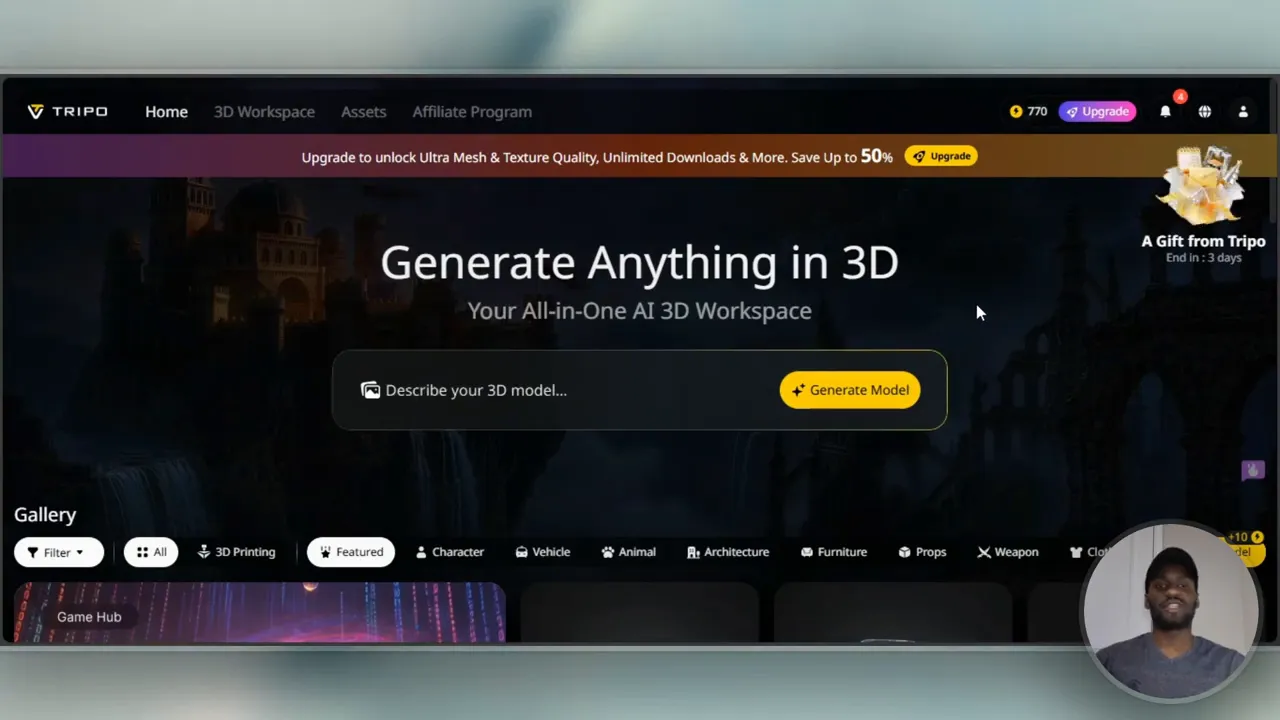
After signing up, you land on a clean homepage where your 3D workspace and saved models live.
Step 2: Write a clear prompt and generate a model
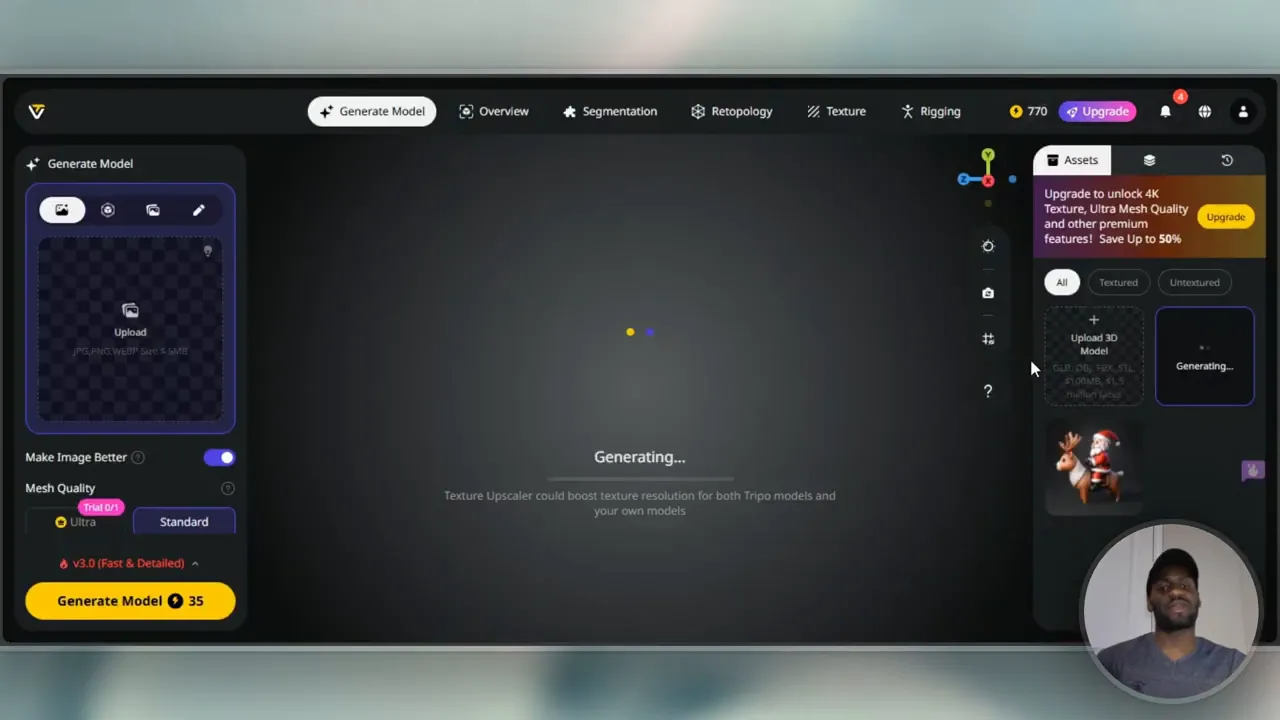
In the workspace you’ll see a single field labeled something like Describe your 3D model. I treat this like writing a short creative brief: include the subject, style, and any important details. For example:
- Anime character riding a dragon
- Cartoon-style astronaut holding a lantern
- Low-poly fox toy with a keychain loop
Each generation costs credits. A single model generation may use around 25 credits depending on your plan. Hit generate, and Tripo AI will produce a 3D mesh in a minute or two.
Step 3: Inspect the model and switch views
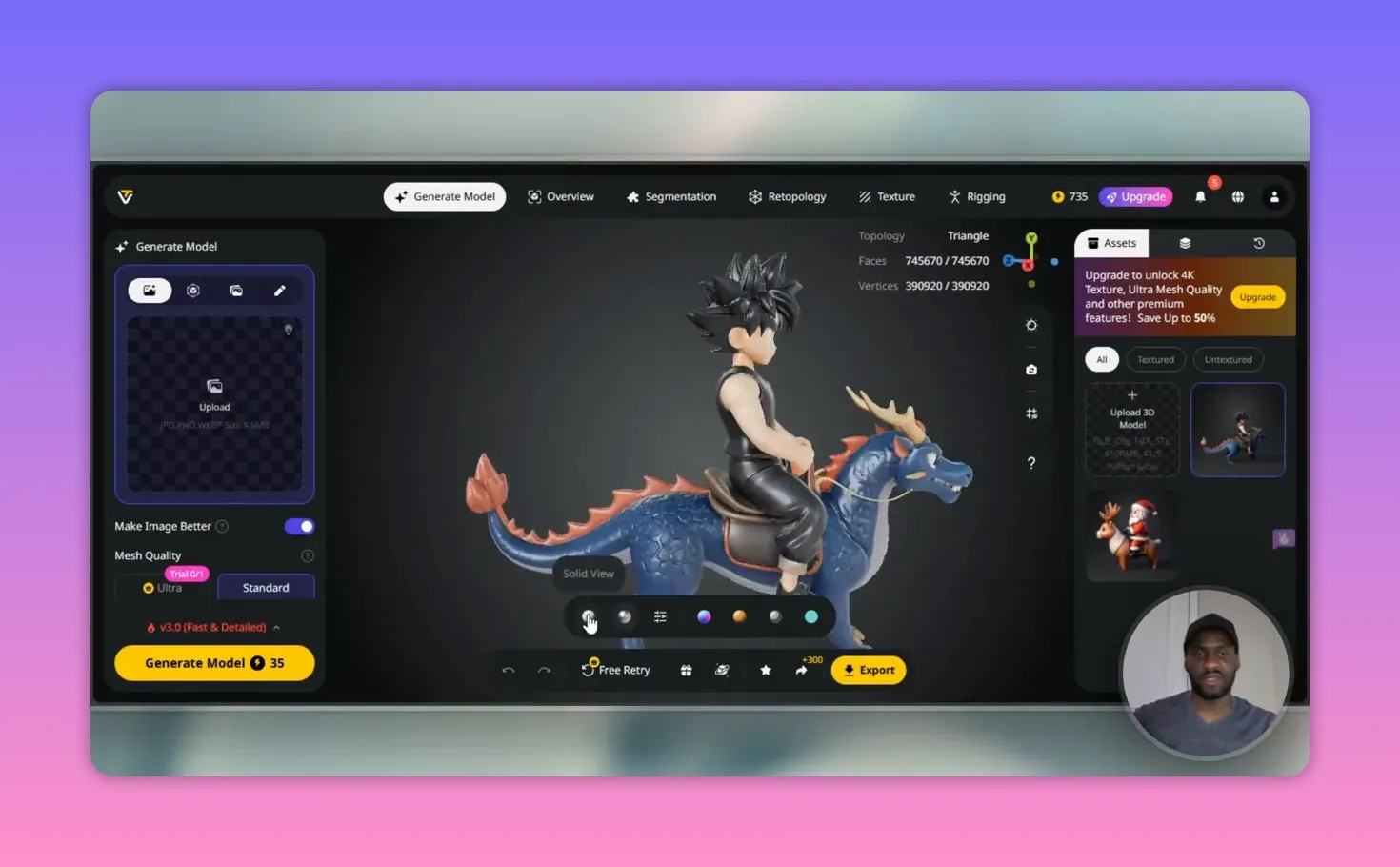
Once the model is ready, I immediately rotate it and toggle views. Tripo AI offers several helpful modes:
- Wireframe / triangular topology to check mesh density and silhouette.
- Solid view for a clean shape preview.
- Textured view to see color and material maps.
- Cartoon, sketch, or holograph styles for presentation or animation references.
I switch between these to verify the pose, proportions, and whether the model will print or animate correctly.
Step 4: Refine, retry, or send for professional refinement
If the first result is close but not perfect, you can use a retry to generate variations. Retry limits depend on your subscription tier.
For complex adjustments, Tripo AI offers a paid refinement service: send the model to the team, pay a small fee (around $10), and they will polish it into a toy-ready asset within a few business days.
Step 5: Export, share, or order a physical print
Tripo AI makes it easy to get a physical object from your design. You can:
- Copy a direct model link or use the in-app share button.
- Export common model formats for 3D printing or animation.
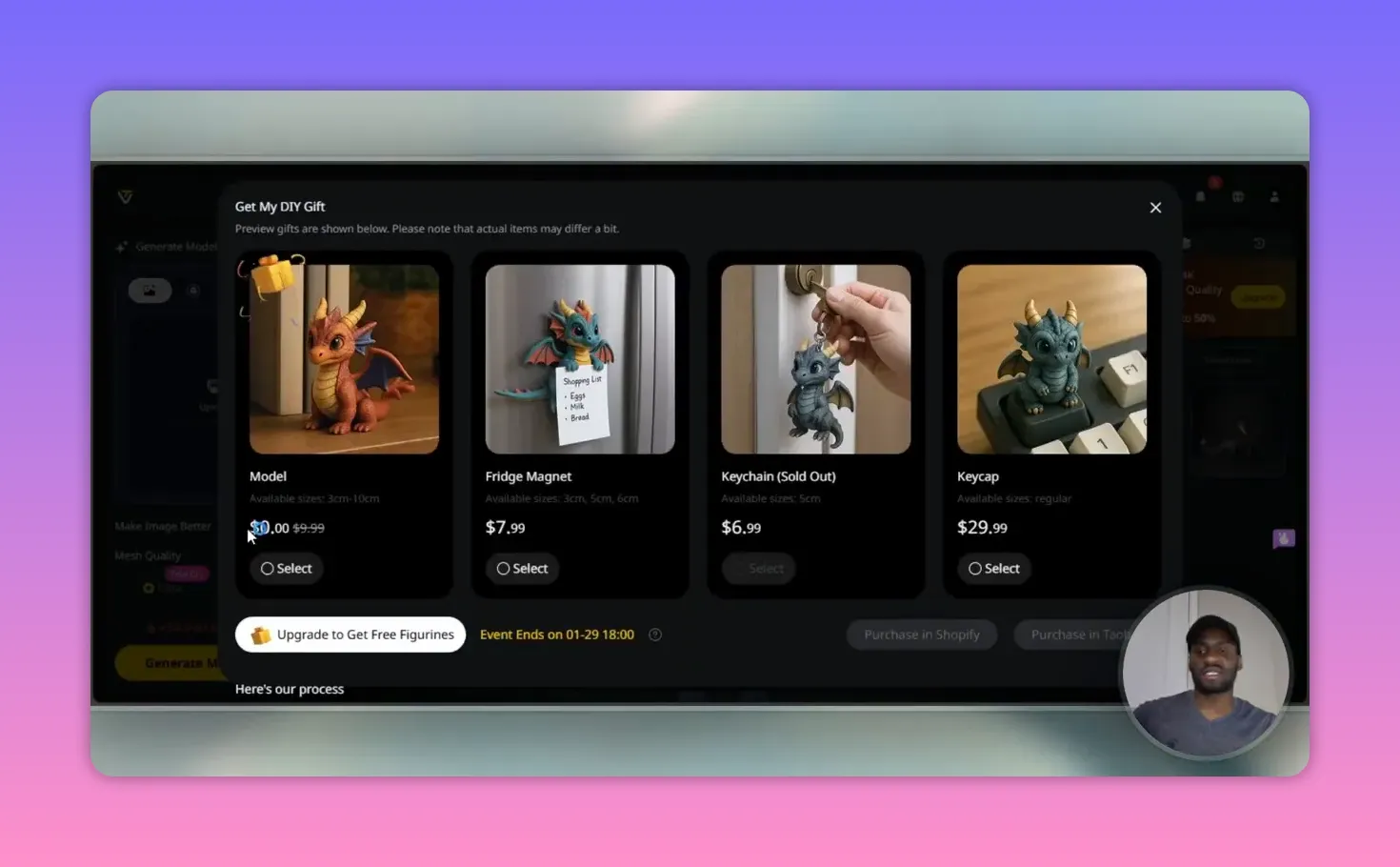
- Order printed products such as figurines, fridge magnets, keychains, and keycaps through integrated storefronts (Shopify or Taobao links).
Ordering typically lets you choose size and finish. After placing an order via the provided link, the selected vendor will handle printing and shipping.
Free Stuff! |
|
🎁Best AI Tools |
| Download Now! |
Step 6: Understand credits and pricing tiers
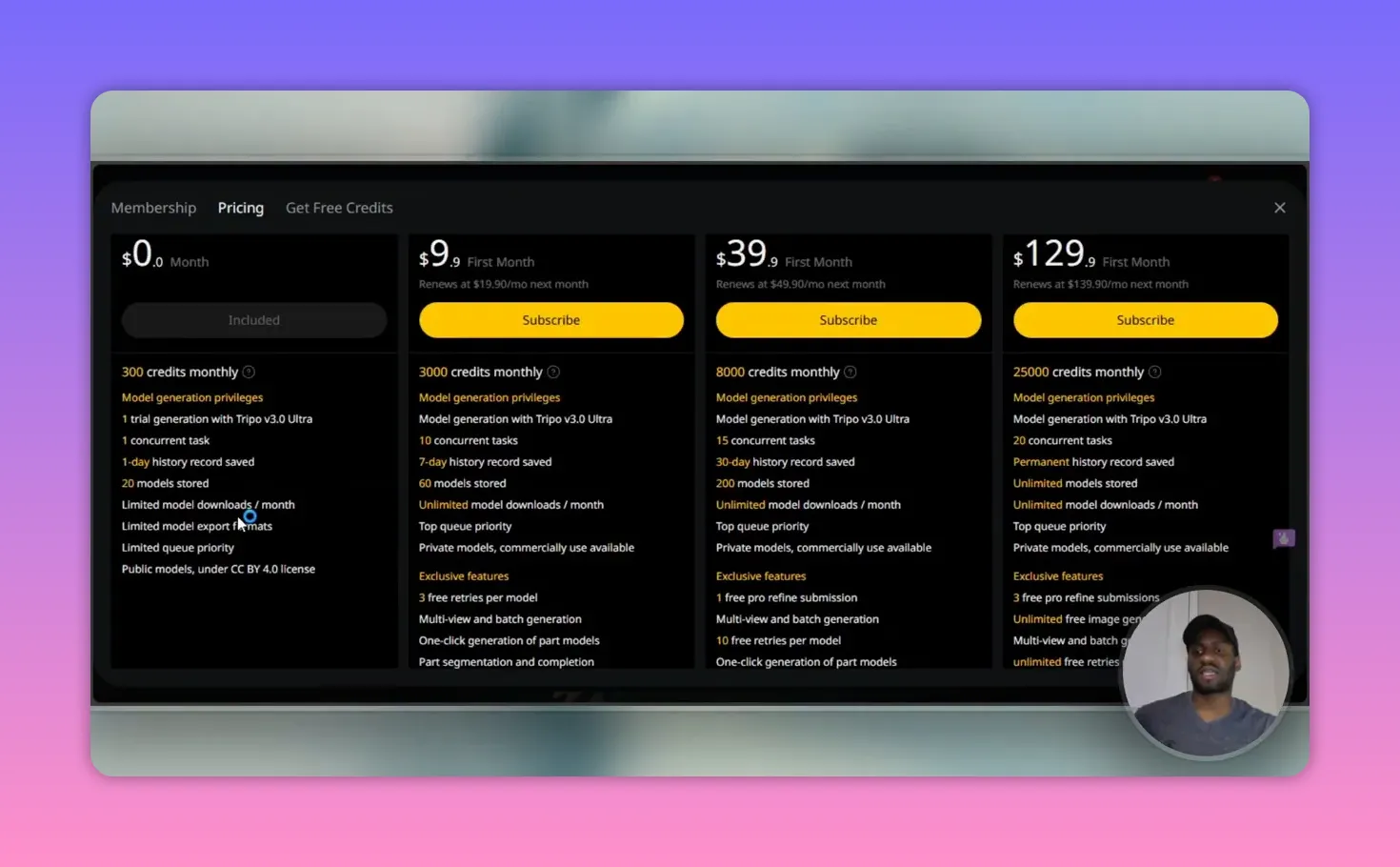
Tripo AI offers several plans. Here are the main things I pay attention to:
- Free tier: A small number of credits, limited models stored, public models under a Creative Commerce license, and minimal export options.
- Professional: Thousands of credits, private models, more retries, multi-view and batch generation, and advanced export options.
- Premium: Highest credit allotment, permanent history, unlimited downloads, unlimited retries, and features like part segmentation and skeleton exports.
Promotions often offer a discount for the first month. If you plan to iterate heavily or sell models, the Professional or Premium tiers are worth considering.
Tips I Use to Get Better Results with Tripo AI
- Be specific with key attributes: pose, expression, style, and purpose (print vs animation).
- If you plan to 3D print, mention low-poly, closed mesh, or printable to avoid thin details that break.
- Use retries strategically: change one variable at a time to understand how prompts affect outcomes.
- Keep a library of successful prompts to speed up future generations.
FAQ
How many credits does a model generation use?
Higher-quality or advanced exports can cost more. Check your dashboard for precise usage.
Can I export models for animation or 3D printing?
Can I order a physical toy from my model?
Are my models private?
Paid plans typically allow private models and more control over sharing.
How long does professional refinement take?
Final thoughts
Tripo AI is a fast way to convert creative ideas into usable 3D assets. I use it to prototype characters, produce printable toys, and generate assets for presentations.
With clear prompts, a few retries, and occasional professional refinement, you can move from concept to physical object in a matter of days.
If you plan to create and sell custom prints or iterate quickly, factor subscription credits and export features into your workflow. Tripo AI makes the creative loop short and surprisingly accessible.
Free Stuff! |
|
🎁Best AI Tools |
| Download Now! |