




The 10Web AI Website Builder promises fast, polished WordPress sites using artificial intelligence. I tested the platform end to end to see how well it handles migrations, AI-driven site creation, and simple customizations. Below I cover pricing, core features, a hands-on walkthrough I used to build a mock online store, and practical pros and cons so you can decide if 10Web AI Website Builder fits your needs.
Free Stuff! |
|
🎁Get Early Access to the Best AI Tools Before Everyone Else |
| Download Now! |
Table of Contents
- What 10Web AI Website Builder is and who it’s for
- Pricing at a glance
- Core features I used
- Hands-on walkthrough: building a mock store
- Pros
- Cons and limitations
- Who should use 10Web AI Website Builder?
- Final recommendation
- FAQ
What 10Web AI Website Builder is and who it’s for
10Web AI Website Builder is an AI-powered website solution built around WordPress. It offers three main entry points: automated migration of an existing WordPress site, conversion of non-WordPress sites (Wix, Squarespace, Webflow) to WordPress, and building a brand-new site with the AI builder. There is also a blank WordPress install option for those who prefer to start from scratch.
This tool works well for small business owners, store owners who want a quick storefront prototype, agencies testing rapid concepts, and anyone who wants managed WordPress hosting combined with an AI site creator.
Pricing at a glance
- AI Starter: $25 / month (monthly plan)
- AI Premium: $36 / month
- AI Ultimate: $55 / month
Each plan includes AI site-building features and hosted WordPress. Choose based on the number of sites and resources you need.
Core features I used
- AI site creation — answer a few questions and the AI generates a complete WordPress site structure, pages, and sample content.
- Site migration — automated migration path for existing WordPress sites from other hosts.
- Non-WordPress conversion — convert sites from Wix, Squarespace, Webflow to WordPress using AI-assisted tooling.
- Design options — choose layout style, fonts, and color palettes (classic, minimalist, flat) and the AI applies them site-wide.
- Editable structure — generated pages and sections appear in the editor and can be customized; note there’s a six-page structure limit before you need to remove pages to add new ones in the generated layout.
Hands-on walkthrough: building a mock store
I built a video game storefront as a quick test. The process took only a few minutes and illustrates how 10Web AI Website Builder handles end-to-end site creation.
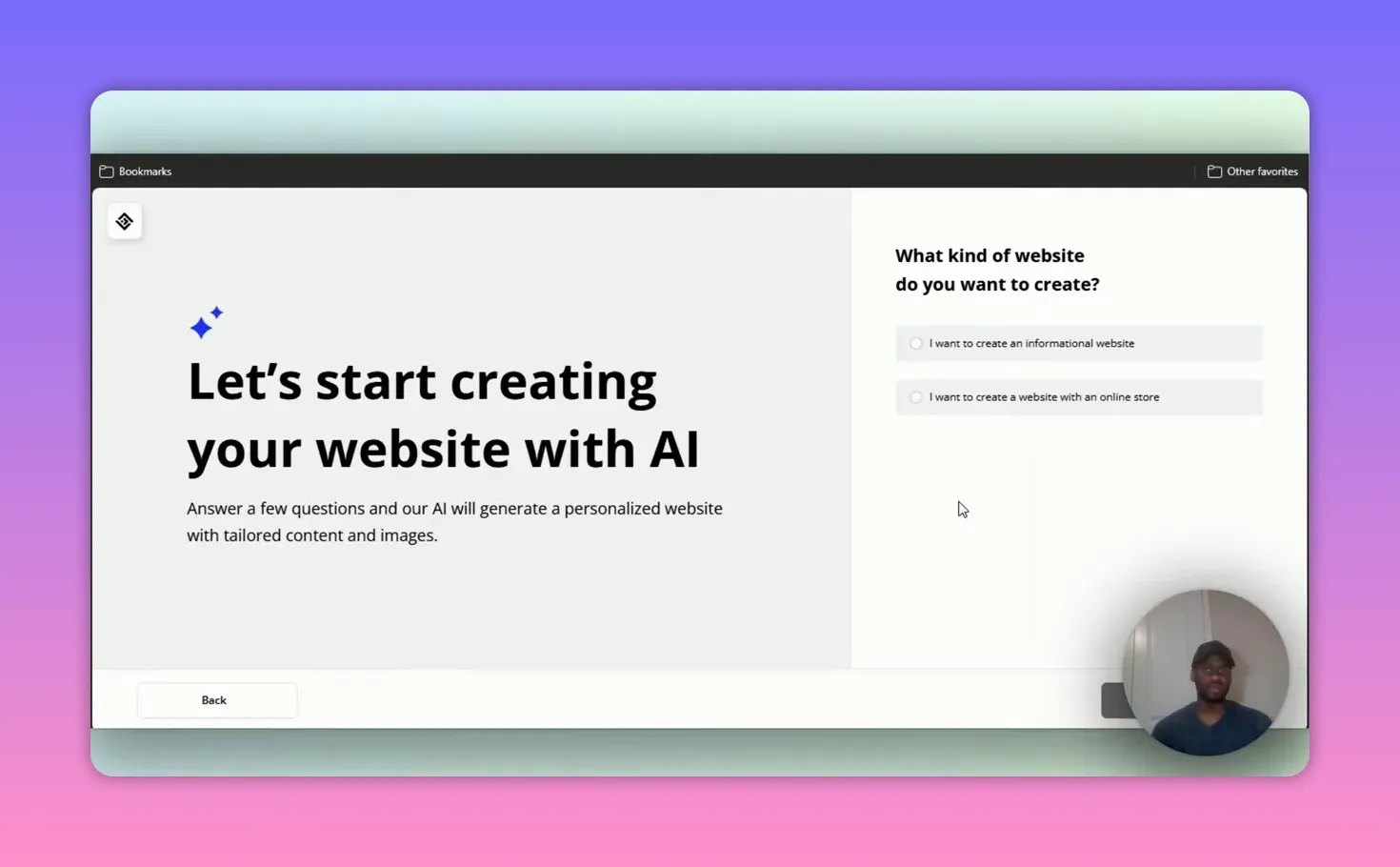
First I chose the online store option, then selected a store type: “Video game store.” I named the store Video Game Guy and added a short description. The AI offered to enhance the description automatically. After picking product categories (PC games, consoles, accessories), the builder generated a complete site structure.
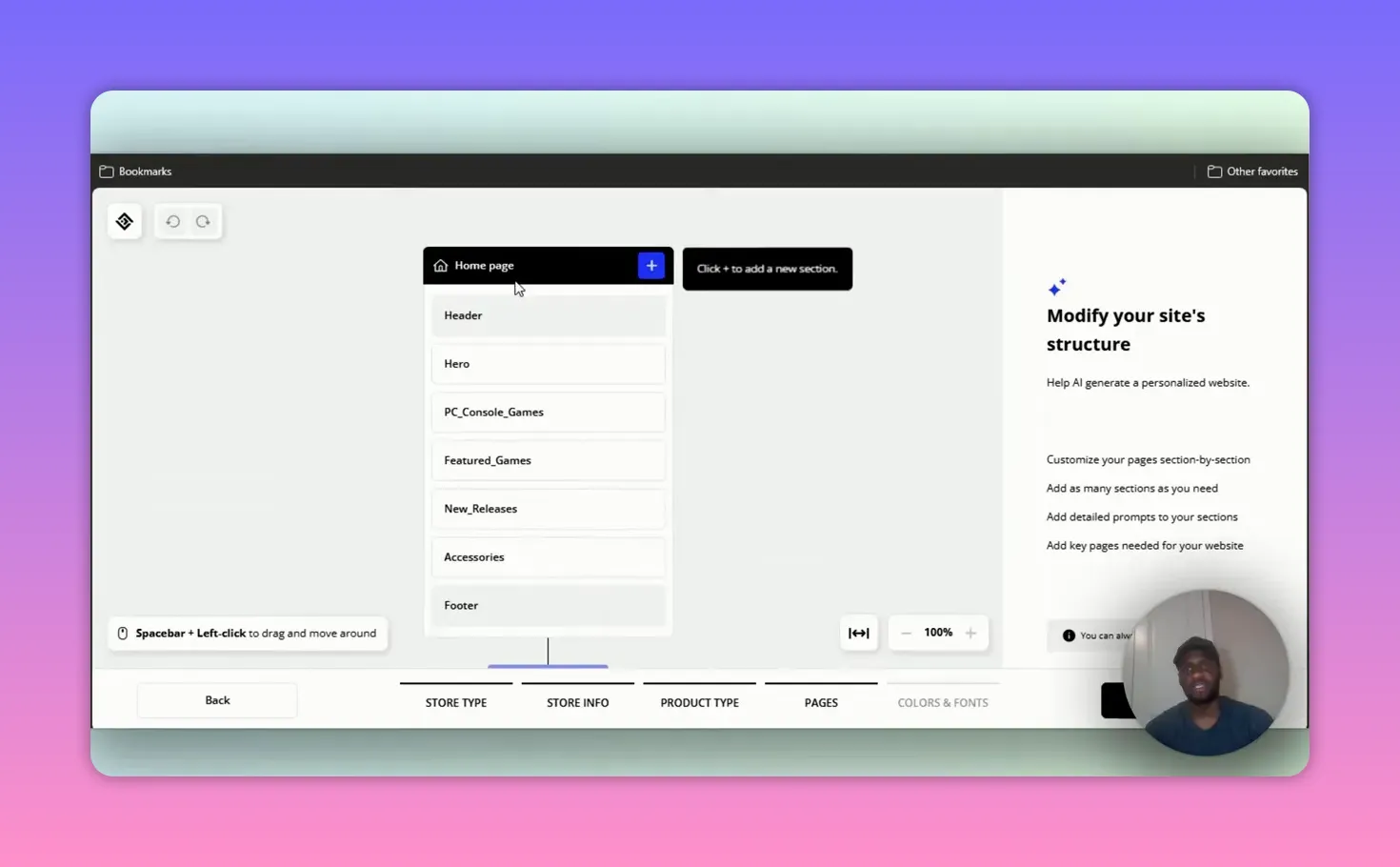
The generated structure included a homepage with header, hero, featured games, new releases, and footer. Product category pages such as PC games and console games were created automatically, each with headers, collections, and product showcase blocks. The editor showed up to six generated pages by default.
I then chose a design style and picked a color palette and font. For this theme I selected a more “classic” style with a bold, game-friendly color (purple) and a font I prefer for tech themes. The builder applied those settings across the site and finished the generation in seconds.
Free Stuff! |
|
🎁Get Early Access to the Best AI Tools Before Everyone Else |
| Download Now! |

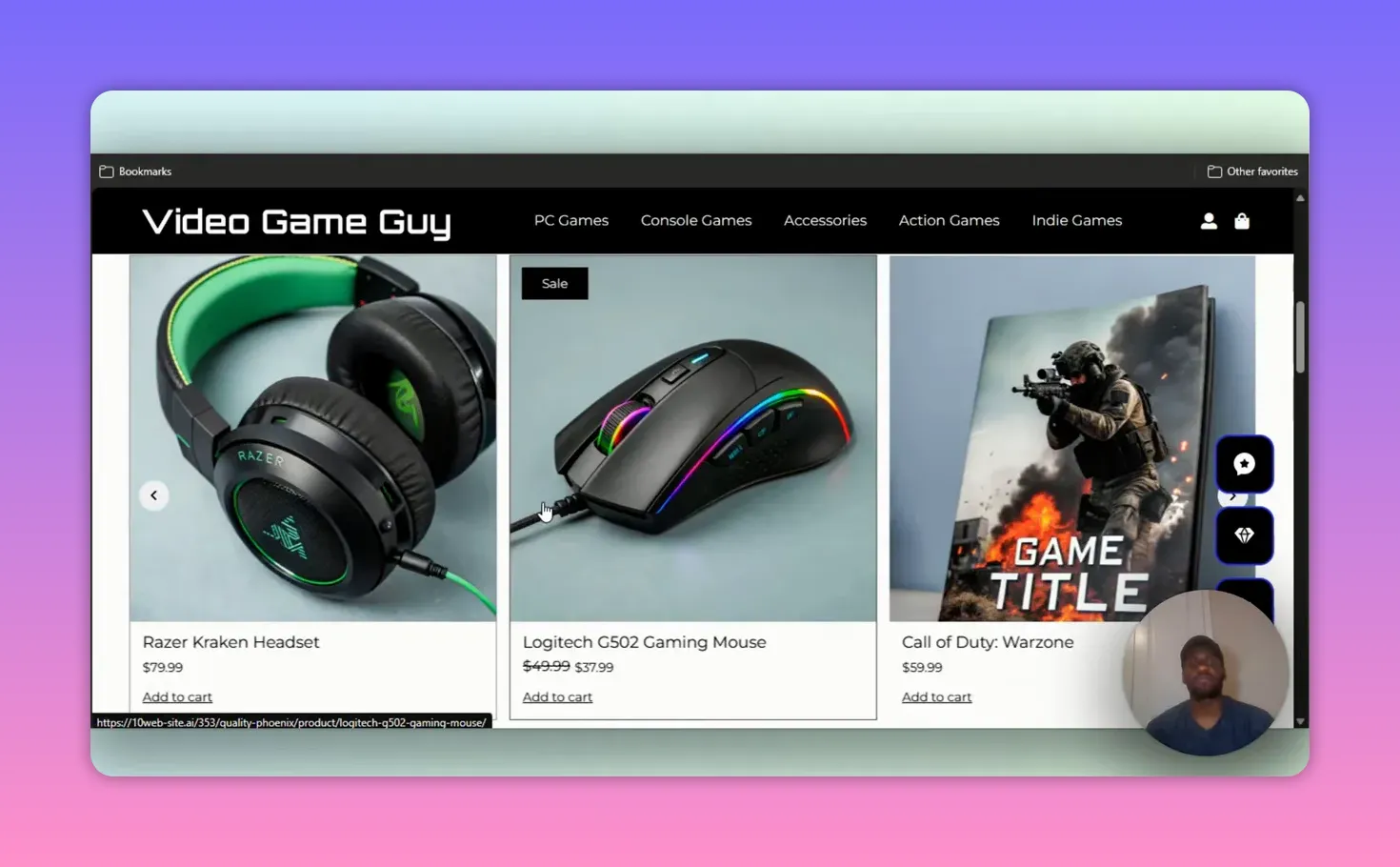
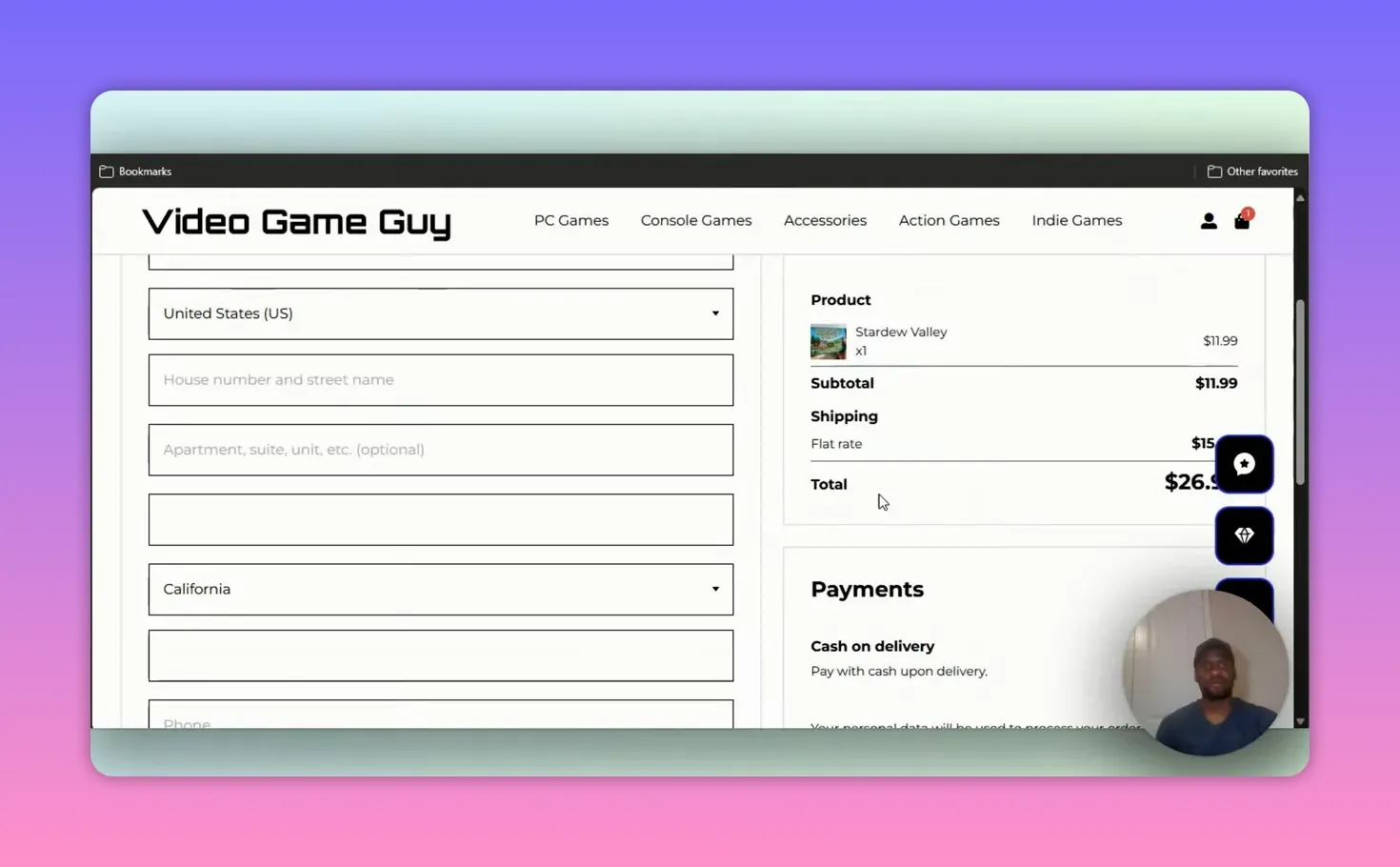
The preview showed a polished storefront with featured game imagery, category navigation (PC games, console games, accessories), and product listings. The checkout example used a cash-on-delivery default in the demo store; backend payment and shipping settings require configuration in the WordPress admin before going live.
I added an item to the cart to test the flow and reached the checkout screen quickly. The generated site was functional enough to act as a prototype or immediate storefront with minimal edits.
Pros
- Speed: Generate a full WordPress site in minutes rather than hours.
- Migration and conversion: Clear paths for bringing existing WordPress sites or converting non-WordPress sites.
- Good starter templates: Generated pages and product layouts are appropriate for e-commerce and informational sites.
- Design control: Quick choices for style, fonts, and colors that the AI applies consistently.
- Managed hosting: Hosting is bundled so you get a working site under a single roof.
Cons and limitations
- Page limit on generated layout: The AI-generated structure caps at six main pages unless you delete items to add others.
- AI content polish not always perfect: Auto-enhance may fail sometimes and generated text may need human editing for tone and accuracy.
- Checkout and advanced features require backend setup: Payment gateways, shipping, and tax settings still need manual WordPress configuration.
- Customization learning curve: While the AI does 80 percent of the work, customizing details familiar to WordPress still takes time.
Who should use 10Web AI Website Builder?
- Small business owners who need a fast online presence with WordPress.
- Shop owners who want a quick prototype of an e-commerce storefront.
- Freelancers and agencies building quick client demos.
- Anyone who prefers AI-generated design but still wants full WordPress control for long-term flexibility.
Final recommendation
If you value speed and want a managed WordPress solution driven by AI, the 10Web AI Website Builder is a strong option. It handles migration, conversion, and brand-new site generation well. Expect to do some copy editing and backend configuration, but the platform will save you time on structure, design, and initial content. For entrepreneurs and agencies building multiple quick sites, the Premium or Ultimate plans are worth considering.
FAQ
How does the AI site creation process work?
Can I migrate my existing WordPress site to 10Web?
Does 10Web handle hosting?
Is the generated content ready to publish?
Free Stuff! |
|
🎁Get Early Access to the Best AI Tools Before Everyone Else |
| Download Now! |